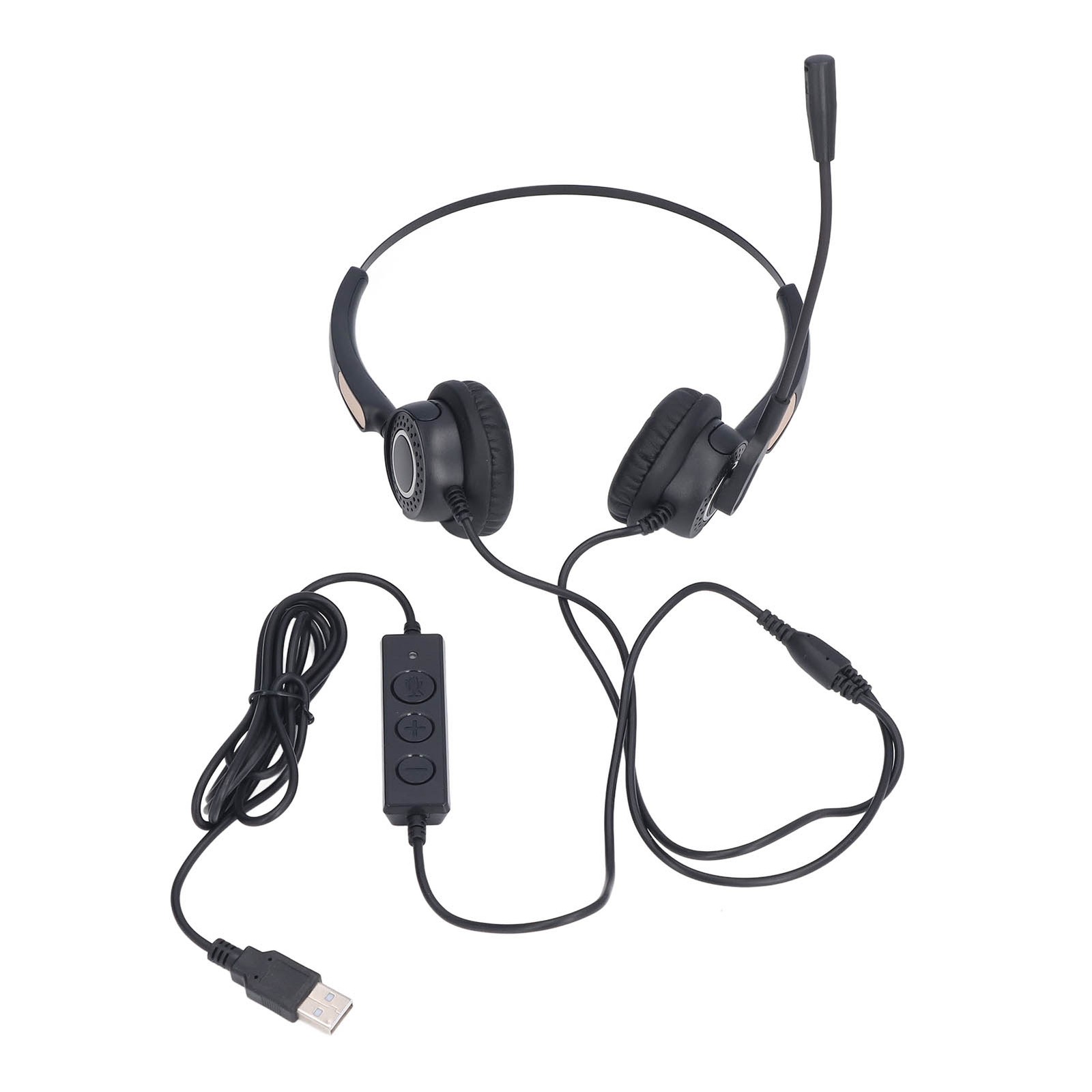

Photos from current listings. Actual item, color, and included accessories may vary.
Wired Headphone Buying Guide
Wired headphones for business use split into two distinct architectures: passive 3.5mm audio headphones for general listening and active telephony headsets with inline amplification and noise-canceling microphones for softphone or desk-phone use. The primary trade-off is connector and microphone compatibility versus passive durability—headsets with proprietary quick-disconnect or USB require matching the base cable to your phone system. Buy a headset only if its connector and mic wiring match your desk phone or softphone; otherwise choose a standard 3.5mm headphone for listening-only tasks.
Key takeaways
- Passive 3.5mm headphones need no power and work with any 3.5mm jack, but headsets with active noise cancellation or touch control require USB power or an inline battery.
- Telephony headsets use either a 2.5mm/3.5mm plug, USB, or a proprietary quick-disconnect base; the base determines compatibility with Poly, Yealink, Cisco, or generic desk phones.
- Noise-canceling microphones use either a noise-canceling electret capsule or dual-microphone beamforming; the latter improves outbound call clarity in open offices.
At a glance
- Category
- Business Phones & Headsets
- Last updated
- Nov 29, 2026
Current offers
Highlights
- Passive 3.5mm headphones need no power and work with any 3.5mm jack, but headsets with active noise cancellation or touch control require USB power or an inline battery.
- Telephony headsets use either a 2.5mm/3.5mm plug, USB, or a proprietary quick-disconnect base; the base determines compatibility with Poly, Yealink, Cisco, or generic desk phones.
- Noise-canceling microphones use either a noise-canceling electret capsule or dual-microphone beamforming; the latter improves outbound call clarity in open offices.
- Inline volume control and mute switches are passive on most 3.5mm headsets, while touch-control models draw power and add a failure point in the cable.
Best use cases
- Choose a 3.5mm passive headphone for listening to music or webinars on a laptop or mobile device—no batteries, no drivers, lowest failure risk.
- Choose a USB or quick-disconnect telephony headset for full-day softphone or desk-phone calls; verify the base matches your phone model before ordering.
- Skip touch-control or active noise-canceling headsets for shared or hot-desk environments—the extra electronics add breakage risk without improving call clarity.
- Skip single-ear mono headsets if you need to block office noise; choose a binaural dual-ear cup with a noise-canceling boom mic instead.
Buying tips
- Match the plug: 3.5mm TRRS for combined headphone/mic on laptops, dual 3.5mm TRS for separate mic and headphone jacks, USB-A or USB-C for softphone-only use.
- For desk phones, confirm the quick-disconnect base is listed for your phone brand (Poly, Yealink, Cisco, Avaya); a generic 3.5mm plug will not answer or hang up calls.
- Choose a noise-canceling electret boom mic over an inline mic for calls—position it within 2 cm of your mouth for the rated noise reduction.
- Prefer replaceable ear cushions and a detachable cable on headsets used more than 4 hours daily; fixed cables are the most common failure point.
Specs
| Connector Type | 3.5mm TRRS / dual TRS / USB-A / USB-C |
|---|---|
| Headset Wiring | Passive 3.5mm vs amplified USB/quick-disconnect |
| Microphone Type | Noise-canceling electret boom vs inline |
| Ear Cup Style | Binaural closed-back vs mono single-ear |
Related searches
What to check before buying
- Measure your phone or laptop jack: 3.5mm combo (TRRS), separate mic/headphone (dual TRS), USB-A, or USB-C—buy the matching cable or adapter.
- Confirm your desk phone model and its headset port type (RJ9, quick-disconnect, or USB) before selecting a telephony headset base.
- Check headband and ear-cup adjustability against your head size; binaural cups should fully enclose the ear without clamping.
- For open-plan offices, verify the microphone's noise-canceling rating and choose a boom mic over an inline mic.
FAQ
Data sources: eBay / Amazon listings and product attribute feeds. Updated Nov 29, 2026.
Some links on this page are affiliate links. If you buy after clicking one, we may earn a commission at no extra cost to you. This does not change which products appear here or their order. Affiliate disclosure.