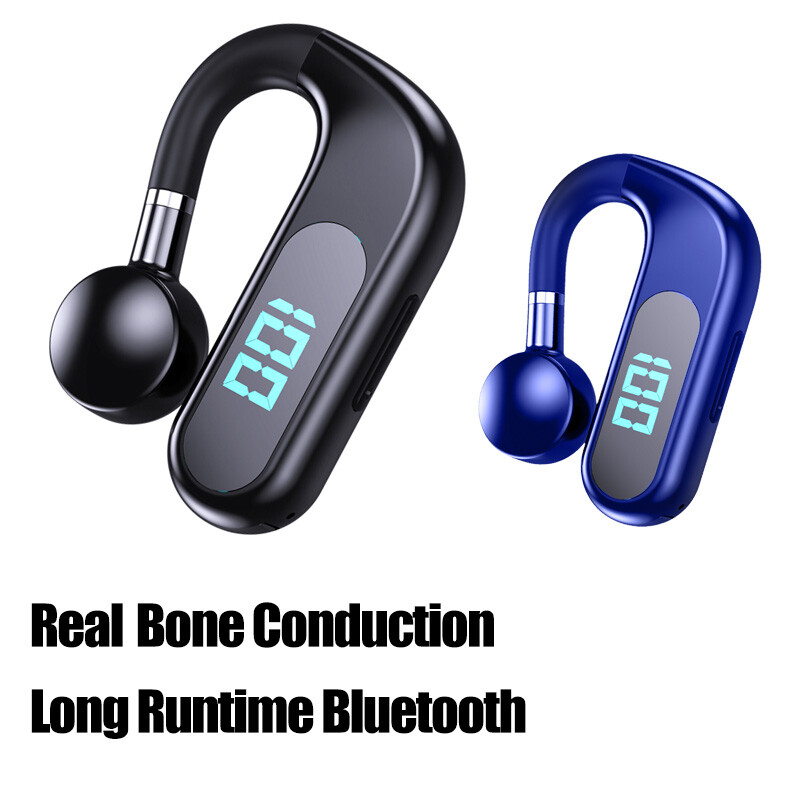

Photos from current listings. Actual item, color, and included accessories may vary.
Bluetooth Headset Computer Buying Guide
A Bluetooth computer headset is a wireless audio device optimized for softphone and UC-platform calls, where the core trade-off is microphone clarity and wireless stability versus battery life and comfort during long shifts. Durable options use dedicated noise-canceling boom mics, Bluetooth 5.0+ with multipoint pairing, and replaceable earpads or headsets with certified UC compatibility; compromises rely on bone-conduction or omnidirectional mics that leak ambient noise and lack software integration.
Median $132.94
Key takeaways
- Bluetooth 5.0 or later is required for stable multipoint pairing between a computer and a mobile phone; older 4.x versions drop connections and add latency.
- Dual-microphone noise-canceling boom arms with a 50–100 Hz to 10 kHz pickup range reject keyboard clatter; omnidirectional mics capture every keystroke.
- Battery tiers separate productivity headsets: 12–15 hours for boom-mic mono units, 20–30 hours for stereo UC models, and 30+ hours only on bone-conduction or low-power designs that sacrifice mic isolation.
At a glance
- Category
- Business Phones & Headsets
- Last updated
- Nov 29, 2026
Current offers
Highlights
- Bluetooth 5.0 or later is required for stable multipoint pairing between a computer and a mobile phone; older 4.x versions drop connections and add latency.
- Dual-microphone noise-canceling boom arms with a 50–100 Hz to 10 kHz pickup range reject keyboard clatter; omnidirectional mics capture every keystroke.
- Battery tiers separate productivity headsets: 12–15 hours for boom-mic mono units, 20–30 hours for stereo UC models, and 30+ hours only on bone-conduction or low-power designs that sacrifice mic isolation.
- Certified UC variants (Microsoft Teams, Zoom, Cisco Webex) include a USB-C or USB-A dongle for plug-and-play on locked-down computers; native Bluetooth alone cannot guarantee call-control integration.
Best use cases
- Best fit for 8-hour softphone or Teams/Zoom shifts: pick a stereo UC-certified headset with a boom noise-canceling mic, 20+ hour battery, and included USB dongle; skip bone-conduction models because they leak office noise into calls.
- Best fit for hybrid workers switching between laptop and phone: choose Bluetooth 5.1+ multipoint with 15+ hours talk time and a charging stand; skip single-point headsets that require re-pairing every device switch.
- Best fit for mobile professionals needing situational awareness (trucker, warehouse, field): select bone-conduction or open-ear designs with 30-hour batteries and IPX sweat resistance; skip over-ear boom mics that block ambient warnings and cause fatigue.
- Wrong fit for noisy open offices: any headset without a boom mic or with a single omnidirectional mic will transmit coworker conversations; select dual-mic noise-canceling boom models instead.
Buying tips
- Match the mic to the room: boom noise-canceling mics reject 70–90% of background noise; bone-conduction and omnidirectional mics reject almost none, so use them only in quiet or mobile environments.
- Require Bluetooth 5.0+ and multipoint for computer use; headsets limited to Bluetooth 4.2 or single-point pairing cause call drops and require a USB dongle for reliable softphone audio.
- Verify UC certification (Teams, Zoom, Webex) if you need on-headset call answer/end and mute sync; uncertified headsets stream audio but often lack full call control and firmware updates.
- Choose 20+ hours of talk-time battery for full workdays; 12-hour models need mid-day charging, and bone-conduction 30-hour claims apply to audio playback, not continuous boom-mic calls.
Specs
| Bluetooth Version | 5.0+ required for multipoint |
|---|---|
| Mic Type | Boom noise-canceling vs omni/bone |
| Talk-Time Battery | 12-15 hr mono / 20-30 hr stereo |
| UC Certification | Teams/Zoom/Webex + USB dongle |
Related searches
What to check before buying
- Confirm your computer has working Bluetooth 5.0+ or an available USB-A/USB-C port for the dongle; older laptops may need a USB Bluetooth adapter.
- Measure your headset-to-computer distance: Class 2 Bluetooth reaches about 10 meters (33 ft) line-of-sight; walls and docks reduce this, so pick a dongle model for multi-room use.
- Check ear-cup or earbud fit against your head size and glasses; over-ear models need 2–3 cm of clearance around the ear, and on-ear or bone-conduction designs suit glasses wearers better.
- Verify your softphone platform supports the headset’s native Bluetooth or requires a certified dongle; locked-down corporate laptops often block Bluetooth audio without an approved USB adapter.
FAQ
Data sources: eBay / Amazon listings and product attribute feeds. Updated Nov 29, 2026.
Some links on this page are affiliate links. If you buy after clicking one, we may earn a commission at no extra cost to you. This does not change which products appear here or their order. Affiliate disclosure.