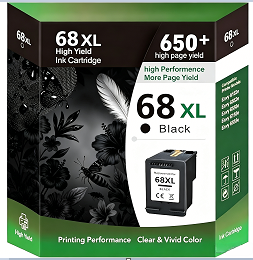

Photos from current listings. Actual item, color, and included accessories may vary.
Replacement Ink Cartridge Buying Guide
Replacement ink cartridges are third-party or remanufactured consumables engineered to fit specific OEM printhead and cartridge families, where the core trade-off is chip compatibility and ink chemistry versus upfront cost. The decisive factor is matching the exact cartridge model code and region-coded chip to your printer's firmware, not the marketing yield number on the box.
Key takeaways
- Chip architecture matters most: OEM chips handshake with printer firmware, while third-party chips may trigger 'counterfeit' lockouts after firmware updates.
- Ink type must match the printhead: pigment black for sharp text on plain paper, dye-based color for photos, and never mix formulations in the same tank.
- High-yield XL cartridges carry more ink volume in the same physical shell, cutting cost-per-page but requiring the printer to recognize the higher-capacity chip.
At a glance
- Category
- Printers & Scanners
- Last updated
- Nov 28, 2026
Current offers
Highlights
- Chip architecture matters most: OEM chips handshake with printer firmware, while third-party chips may trigger 'counterfeit' lockouts after firmware updates.
- Ink type must match the printhead: pigment black for sharp text on plain paper, dye-based color for photos, and never mix formulations in the same tank.
- High-yield XL cartridges carry more ink volume in the same physical shell, cutting cost-per-page but requiring the printer to recognize the higher-capacity chip.
- Remanufactured cartridges reuse OEM shells with drilled and resealed refill ports; new-build compatibles use fresh molded shells with cloned chips and carry more consistent nozzle alignment.
Best use cases
- Best fit: high-volume text printing on a firmware-locked HP Envy or OfficeJet — choose new-build compatibles with the exact XL model code and a chip rated for your firmware version.
- Best fit: photo and color document printing — pick OEM or premium dye-ink compatibles; skip bargain pigment-filled color tanks that clog fine photo printheads.
- Wrong fit: enterprise laser-class or EcoTank/refillable-tank printers — these use toner or bulk ink bottles, not cartridges; skip cartridge shopping entirely for tank models.
- Wrong fit: printers under active OEM instant-ink subscription — third-party cartridges are blocked by subscription firmware, so stay OEM until the plan is cancelled.
Buying tips
- Match the full cartridge code exactly, including region suffix and XL/standard designator; a 68XL is not interchangeable with a 68 or a 67 in the same chassis.
- Count pages at 5% coverage to compare yield honestly: XL tanks typically hold 2-3x standard ink volume, so cost-per-page favors XL once you print more than a few dozen pages monthly.
- Check the chip generation against your printer firmware; older cloned chips get rejected after automatic updates, so buy compatibles explicitly rated for current firmware.
- For photo work, confirm dye-based color inks and pigment black; mixing a pigment color tank into a dye printhead risks permanent clogging.
Specs
| Ink Chemistry | Pigment black / dye color |
|---|---|
| Chip Type | OEM vs cloned firmware chip |
| Yield Tier | Standard vs XL high-yield |
| Cartridge Build | New-build vs remanufactured shell |
Related searches
What to check before buying
- Read the cartridge model code printed on the old cartridge or inside the printer door, not just the printer model name.
- Confirm your printer is not enrolled in an OEM ink subscription, which locks the machine to first-party cartridges.
- Verify the compatible's chip firmware compatibility for your specific printer model and current firmware revision.
- Check whether your printer uses separate color tanks or a tri-color cartridge, since that changes how many units you must buy.
FAQ
Data sources: eBay / Amazon listings and product attribute feeds. Updated Nov 28, 2026.
Some links on this page are affiliate links. If you buy after clicking one, we may earn a commission at no extra cost to you. This does not change which products appear here or their order. Affiliate disclosure.