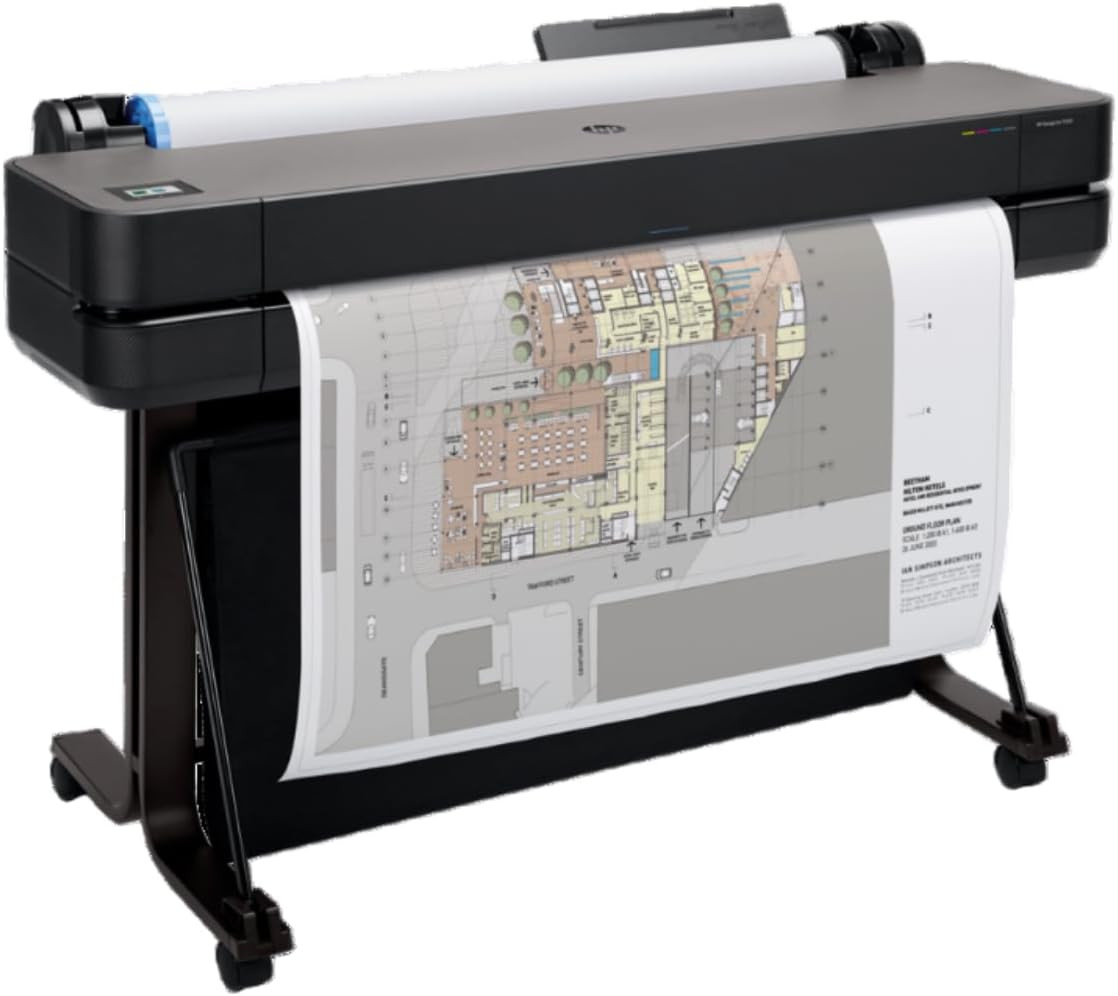

Photos from current listings. Actual item, color, and included accessories may vary.
Large Format Plotter Buying Guide
Large-format plotters are wide-bed inkjet printers built for CAD plans, posters, and banners, where the core trade-off is between thermal and piezoelectric print-head durability versus upfront cost. The decisive rule: buy a current-generation piezoelectric plotter with a roll feed and standalone network card for daily production, and only accept an entry thermal-inkjet model if your monthly volume stays light and you value lowest entry cost over per-print economy.
Median $2,481.61
Key takeaways
- Print-head architecture separates tiers: thermal inkjet (HP DesignJet T200/T600 series) uses replaceable printheads that wear with volume, while piezoelectric heads (Canon imagePROGRAF, Epson SureColor) last the life of the machine.
- Width class dictates media logistics: 24-inch models handle A1/D-size sheets and 24-inch rolls, while 36-inch models add A0/E-size output and accept 36-inch rolls for full-size poster and banner work.
- Standalone Ethernet/Wi-Fi and mobile print support (Apple AirPrint, Wi-Fi Direct) on current T210/T630/T650/T850 models remove the need for a PC tether that older T100/T120 units require.
At a glance
- Category
- Wide-Format Printers & Plotters
- Last updated
- Nov 23, 2026
Current offers
Highlights
- Print-head architecture separates tiers: thermal inkjet (HP DesignJet T200/T600 series) uses replaceable printheads that wear with volume, while piezoelectric heads (Canon imagePROGRAF, Epson SureColor) last the life of the machine.
- Width class dictates media logistics: 24-inch models handle A1/D-size sheets and 24-inch rolls, while 36-inch models add A0/E-size output and accept 36-inch rolls for full-size poster and banner work.
- Standalone Ethernet/Wi-Fi and mobile print support (Apple AirPrint, Wi-Fi Direct) on current T210/T630/T650/T850 models remove the need for a PC tether that older T100/T120 units require.
- Roll-feed capacity and take-up options matter: standard spindles hold 2-inch core rolls, and production models add an auto sheet feeder, media bin, and higher-capacity roll handling for unattended runs.
Best use cases
- Best fit: an architecture or engineering office printing CAD, PDF, and plan sets daily → choose a 36-inch piezoelectric plotter with Ethernet and a high-capacity roll feed; skip 24-inch thermal models that bottleneck on wide sheets.
- Best fit: a small studio or home office with occasional poster and proof printing → a 24-inch HP DesignJet T210 or T630 with Wi-Fi is the right entry tier; skip 36-inch production units whose floor footprint and ink costs are wasted at low volume.
- Best fit: a print-for-pay or marketing department running banners and displays → a 36-inch or larger piezoelectric unit with take-up reel and pigment inks; skip desktop-class thermal plotters that cannot sustain long unattended rolls.
- Wrong fit: anyone needing photographic fine-art quality should skip general CAD plotters entirely and choose a pigment-ink photo plotter with a wide color gamut and ICC profiling.
Buying tips
- Match width to your largest recurring sheet: 24-inch covers A1/D (594×841 mm), while 36-inch covers A0/E (841×1189 mm); buying wider than your daily output wastes floor space and ink.
- Prefer piezoelectric print heads over thermal for any volume above light use: thermal heads are consumable and add per-print cost, while piezo heads are a one-time capital cost.
- Confirm the roll core diameter and spindle: standard is 2-inch core; 3-inch core adapters are needed for high-volume production rolls and must be ordered with the machine.
- Check the network interface before buying: Ethernet plus Wi-Fi and AirPrint on current models enables shared office use, whereas USB-only older units require a dedicated host computer.
Specs
| Print Technology | Thermal inkjet vs piezoelectric |
|---|---|
| Max Print Width | 24 in (A1/D) or 36 in (A0/E) |
| Connectivity | USB / Ethernet / Wi-Fi / AirPrint |
| Roll Feed | 2-in core standard; 3-in adapter |
Related searches
What to check before buying
- Measure your floor footprint and door clearance: a 36-inch plotter needs roughly 1.4 m of wall width plus rear clearance for the roll and front clearance for output.
- Verify the electrical supply: most large-format plotters run on standard 100–240 V AC, but confirm the plug type and that a dedicated circuit is available for simultaneous printing and drying.
- Confirm your computer and software support the driver: check for a current Windows/macOS driver or HP Smart/Canon/Epson mobile app before committing to a model generation.
- Plan for consumables storage: have space for spare ink cartridges, print heads (thermal models), and at least one spare roll of your most-used media width.
FAQ
Data sources: eBay / Amazon listings and product attribute feeds. Updated Nov 23, 2026.
Some links on this page are affiliate links. If you buy after clicking one, we may earn a commission at no extra cost to you. This does not change which products appear here or their order. Affiliate disclosure.