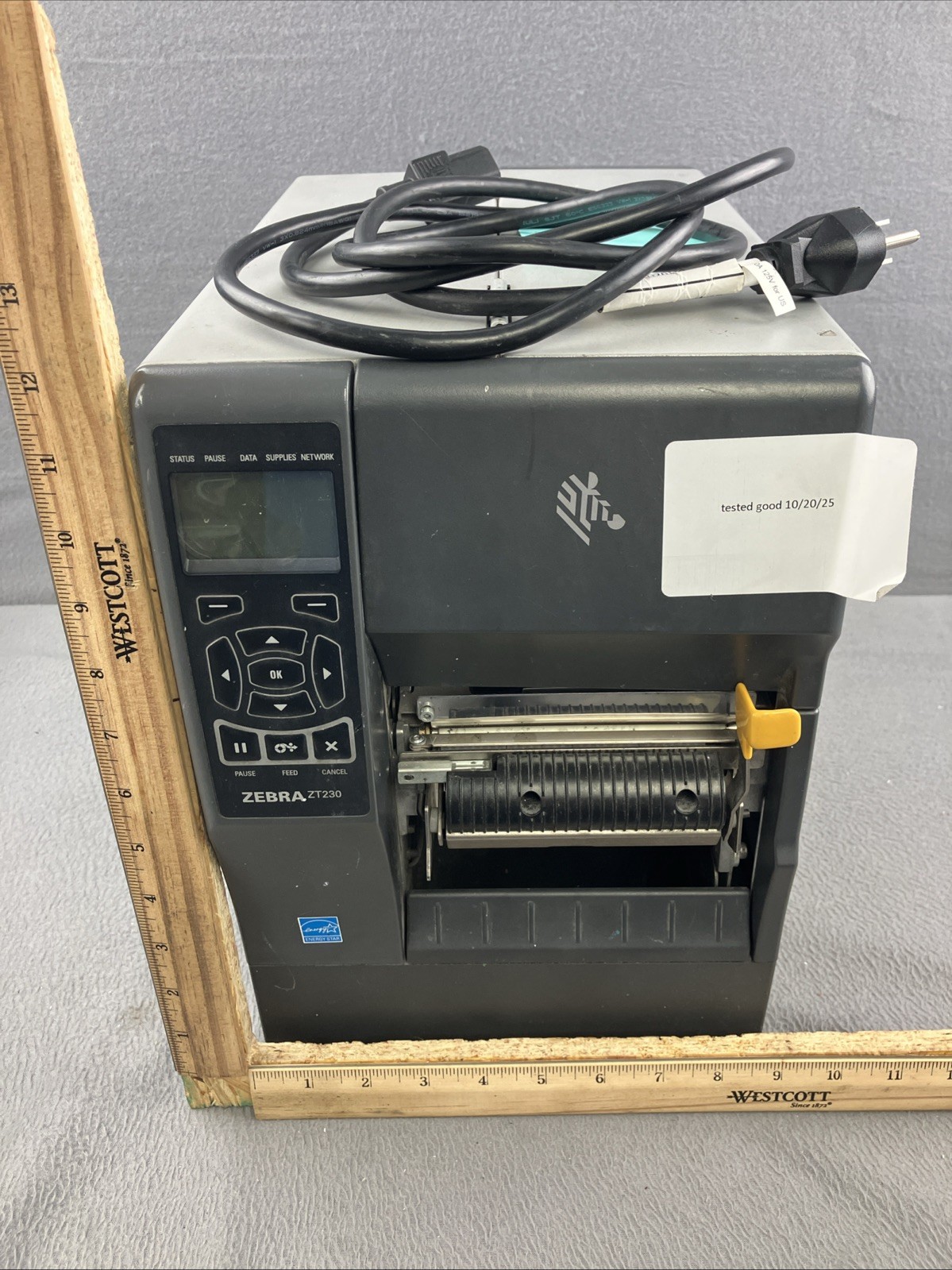

Photos from current listings. Actual item, color, and included accessories may vary.
Zebra Thermal Label Printer Buying Guide
Zebra thermal label printers are industrial and desktop-class barcode/label engines split into direct-thermal (no ribbon) and thermal-transfer (wax/resin ribbon) architectures, with durability determined by printhead resolution, metal versus plastic chassis, and media handling. The core trade-off is consumable cost and durability: direct-thermal saves on ribbons but fades on heat/light, while thermal-transfer costs more upfront in ribbons but produces archival, chemical-resistant labels. Decide by print volume, environment, and label lifespan—not by nominal DPI alone.
Key takeaways
- Print method: direct-thermal uses heat-sensitive media only; thermal-transfer uses wax, wax-resin, or resin ribbons for smudge/chemical resistance and long-term archivability.
- Printhead resolution tiers: 203 dpi for standard 1D barcodes and shipping labels; 300 dpi for small 2D codes, dense text, and pharmaceutical/small-part labels; 600 dpi for micro-labels and high-density electronics marking.
- Chassis and duty cycle: industrial models (ZT series, all-metal) handle continuous high-volume duty; desktop models (ZD/GK series) use polymer covers and lighter duty cycles for intermittent printing.
At a glance
- Category
- Label Makers & Supplies
- Last updated
- Nov 28, 2026
Current offers
Highlights
- Print method: direct-thermal uses heat-sensitive media only; thermal-transfer uses wax, wax-resin, or resin ribbons for smudge/chemical resistance and long-term archivability.
- Printhead resolution tiers: 203 dpi for standard 1D barcodes and shipping labels; 300 dpi for small 2D codes, dense text, and pharmaceutical/small-part labels; 600 dpi for micro-labels and high-density electronics marking.
- Chassis and duty cycle: industrial models (ZT series, all-metal) handle continuous high-volume duty; desktop models (ZD/GK series) use polymer covers and lighter duty cycles for intermittent printing.
- Media handling options: tear bar, peel-off (label-present sensor), and full rewind spindles determine whether labels are hand-applied or fed to applicators; Ethernet/USB/Serial/Bluetooth interfaces define integration.
Best use cases
- High-volume warehouse shipping labels (4x6 in, 203 dpi, direct-thermal): choose an industrial ZT-class printer with tear bar and Ethernet; skip desktop polymer units that overheat under continuous duty.
- Retail shelf tags and product labels needing scannable 2D codes at small sizes: pick 300 dpi thermal-transfer with wax-resin ribbon; skip 203 dpi direct-thermal if labels must survive handling and sunlight.
- Cold-chain or chemical-exposure labels (freezer, lab, automotive): select thermal-transfer with resin ribbon and a peeler for automated application; direct-thermal media will smudge or darken in heat and fade under UV.
- Low-volume office or home shipping: a compact desktop direct-thermal 4x6 printer is sufficient; skip industrial ZT models whose footprint, weight, and power draw are unnecessary for intermittent use.
Buying tips
- Match DPI to your smallest element: 203 dpi resolves ~0.0067 in per dot—fine for 1D barcodes and 10pt text; choose 300 dpi when printing 2D codes or text below ~8pt, and 600 dpi for sub-5pt micro-labels.
- Size media correctly: 4-inch (104 mm) print width handles standard 4x6 shipping labels; 6-inch models cover wider pallet and chemical drum labels—verify max media width and core diameter (1 in vs 3 in) before selecting ribbons and rolls.
- Choose ribbon by durability: wax for paper labels in dry indoor use, wax-resin for coated paper and moderate abrasion, resin for synthetic media, freezer, and chemical exposure; ribbon width must match media width to avoid printhead wear.
- Prefer metal printhead mechanisms and user-replaceable printheads on high-duty cycles; printhead life is rated in linear inches/km, and a worn head shows void lines—industrial models make replacement a field service task.
Specs
| Print Method | Direct-thermal / Thermal-transfer |
|---|---|
| Resolution | 203 / 300 / 600 dpi |
| Max Print Width | 4 in (104 mm) / 6 in (168 mm) |
| Chassis Class | Industrial metal vs Desktop polymer |
Related searches
What to check before buying
- Measure your label: confirm width, height, gap or black-mark sensing, and roll outer diameter fit the printer's media compartment and spindle/core size (1 in or 3 in).
- Confirm connectivity to your system: USB for single PC, Ethernet for network/ERP/WMS integration, Serial for legacy hosts, Bluetooth for mobile—match the port set to your workflow.
- Check power and environment: industrial units draw more power and need ventilation; verify voltage (100-240 VAC typical) and operating temperature range for freezer or outdoor staging areas.
- Plan companion supplies: ribbons (width matched to media), thermal media grade (top-coated for direct-thermal longevity), and peel/rewind hardware if labels feed applicators or need backing removal.
FAQ
Data sources: eBay / Amazon listings and product attribute feeds. Updated Nov 28, 2026.
Some links on this page are affiliate links. If you buy after clicking one, we may earn a commission at no extra cost to you. This does not change which products appear here or their order. Affiliate disclosure.