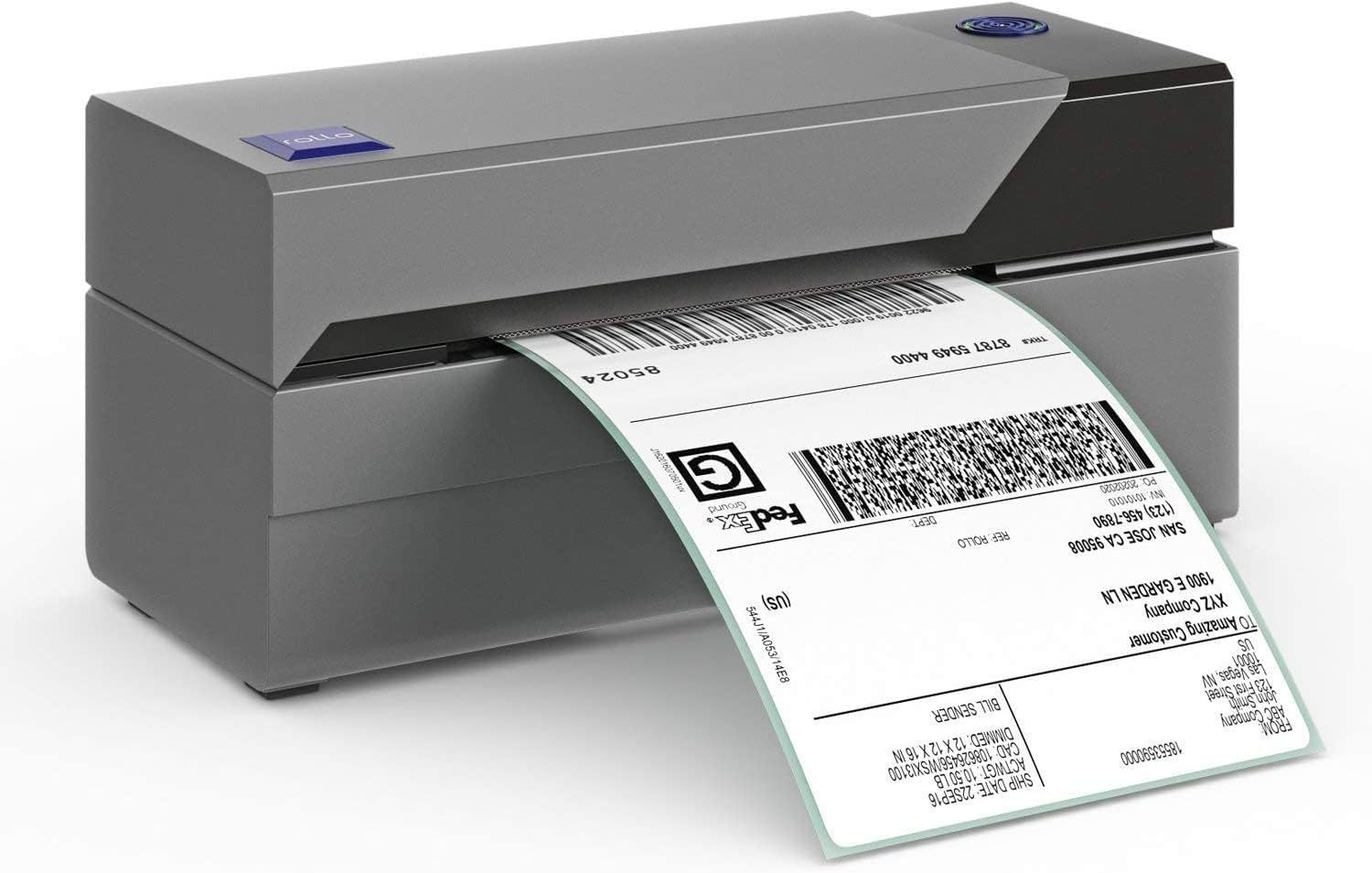

Photos from current listings. Actual item, color, and included accessories may vary.
Rollo Shipping Label Printer Buying Guide
The Rollo Shipping Label Printer is a commercial-grade 4x6-inch direct thermal printer built for high-volume, cost-effective shipping labels without ink or toner. The core trade-off is between Rollo’s baseline USB model and its wireless or higher-throughput variants: buy the USB tier for a dedicated, always-connected packing station, and step up to the wireless tier only when multiple devices or floor placement demand untethered printing. The decision rule is simple—if you print more than a handful of labels daily and need 4x6 output, Rollo’s direct thermal architecture is a durable workhorse; if you need color, odd sizes, or occasional light-duty printing, a general-purpose inkjet or laser label solution is the wrong tool for the job.
Key takeaways
- Direct thermal printing requires no ink or toner—labels are heat-activated, so operating cost is limited to label stock and the printhead’s multi-year service life.
- Rollo’s 4x6 output matches the standard USPS, UPS, FedEx, and DHL shipping label size, eliminating resizing or trimming for carrier-compliant labels.
- USB-only models provide the most reliable, driver-free connection for a single workstation; wireless models add Wi-Fi and Bluetooth but introduce pairing and network overhead.
At a glance
- Category
- Label Makers & Supplies
- Last updated
- Nov 28, 2026
Current offers
Highlights
- Direct thermal printing requires no ink or toner—labels are heat-activated, so operating cost is limited to label stock and the printhead’s multi-year service life.
- Rollo’s 4x6 output matches the standard USPS, UPS, FedEx, and DHL shipping label size, eliminating resizing or trimming for carrier-compliant labels.
- USB-only models provide the most reliable, driver-free connection for a single workstation; wireless models add Wi-Fi and Bluetooth but introduce pairing and network overhead.
- Commercial-grade Rollo units are rated for continuous duty cycles well above consumer desktop printers, with a printhead designed for hundreds of thousands of labels.
Best use cases
- Best fit: an e-commerce seller shipping 10+ packages daily from a fixed packing bench—choose the USB-only Rollo for rock-solid, always-on connectivity and lowest cost per label.
- Best fit: a small warehouse or multi-station operation where labels are printed from phones or tablets—choose the wireless Rollo model with Wi-Fi/Bluetooth to avoid cable runs.
- Wrong fit: a home user who prints a few labels a month and also needs color documents—a general-purpose inkjet or laser printer with label sheets is more versatile and avoids thermal label stock waste.
- Wrong fit: a seller needing fanfold or large-format labels (8.5x11) for international customs paperwork—Rollo’s 4x6 roll format is fixed; choose a wider-format thermal or laser printer instead.
Buying tips
- Match the printer to your label stock: Rollo uses direct thermal rolls with a 1-inch core and 4x6-inch face; fanfold stacks and 3-inch-core industrial rolls require a different feed mechanism.
- For multi-device printing, choose the wireless tier; for a single PC or Mac, the USB tier is cheaper and avoids driver/network troubleshooting entirely.
- Confirm your carrier’s label requirement: 4x6 is standard for USPS, UPS, FedEx, and DHL; if you routinely print 4x4 or 4x6.75 labels, verify the Rollo model supports custom sizes via its driver.
- Direct thermal labels fade under prolonged direct sunlight and heat above 140°F—store printed labels in a cool, dark place if they won’t ship within a few days.
Specs
| Print Technology | Direct thermal (no ink/toner) |
|---|---|
| Max Label Size | 4 x 6 in (standard shipping) |
| Connectivity | USB-only vs USB + Wi-Fi/Bluetooth |
| Print Resolution | 203 DPI (barcode-scannable) |
Related searches
What to check before buying
- Measure your packing station: Rollo’s footprint is compact but requires clear space behind the unit for the label roll and a USB or power cable run.
- Confirm your computer or phone supports the connection tier: USB requires a free USB-A port (or USB-C adapter); wireless requires a 2.4 GHz Wi-Fi network and Bluetooth 4.0+ for mobile printing.
- Check your label supply: buy direct thermal 4x6 rolls with a 1-inch core—thermal transfer ribbons and ink-based labels are incompatible.
- Verify your shipping platform: Rollo works with Shopify, ShipStation, Etsy, eBay, and major carrier software; ensure your platform exports 4x6 PDF or ZPL labels.
FAQ
Data sources: eBay / Amazon listings and product attribute feeds. Updated Nov 28, 2026.
Some links on this page are affiliate links. If you buy after clicking one, we may earn a commission at no extra cost to you. This does not change which products appear here or their order. Affiliate disclosure.