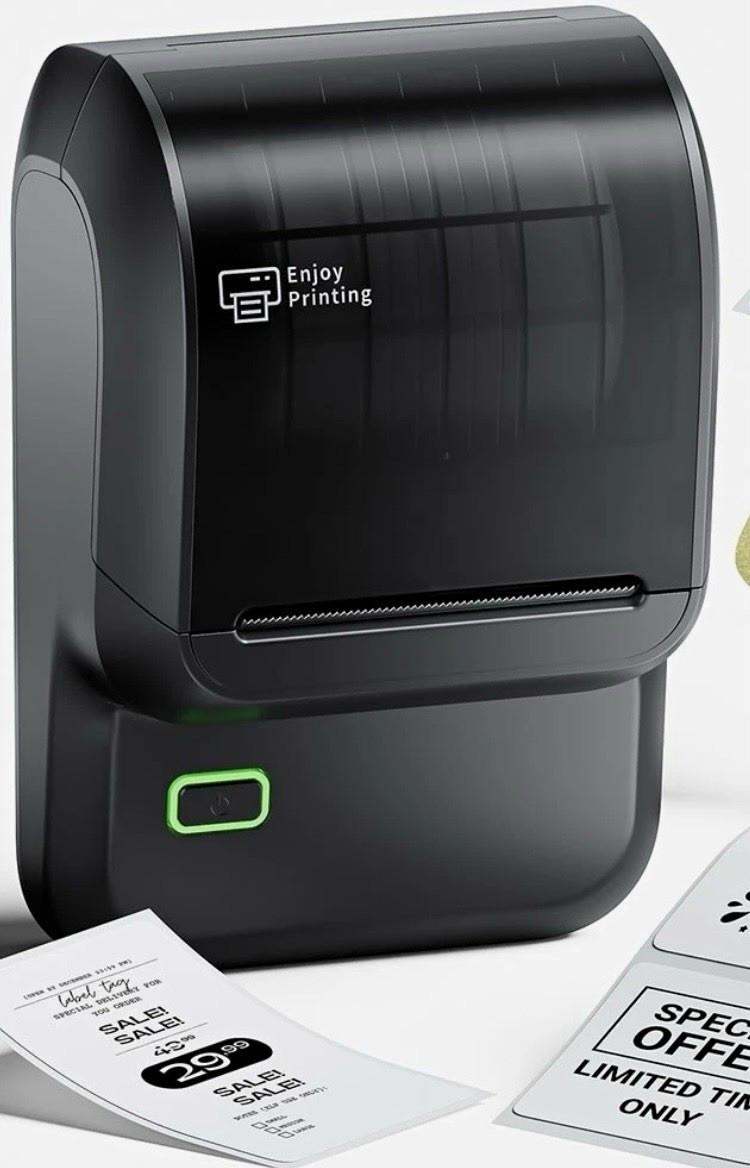

Photos from current listings. Actual item, color, and included accessories may vary.
Roll Label Printer Buying Guide
Roll label printers are compact thermal devices that print adhesive labels from continuous roll stock, replacing cartridge-based desktop label makers for volume tagging and barcode work. The decisive trade-off is thermal technology: direct thermal (cheap, no ink, but fades with heat/light) versus thermal transfer (ribbon-based, smudge-proof, archival). Buy direct thermal only for short-life indoor labels; choose thermal transfer for anything that must survive sunlight, abrasion, or years of storage.
Key takeaways
- Direct thermal prints on heat-sensitive paper with no ribbon — lowest running cost but labels fade above ~60°C and under UV light.
- Thermal transfer uses a wax/resin ribbon over plain stock, producing labels that resist smudging, chemicals, and sunlight for years.
- Resolution tiers split use cases: 203 dpi handles shipping and shelf labels; 300 dpi is required for small-font barcodes, QR codes, and 2D serial plates.
At a glance
- Category
- Label Makers & Supplies
- Last updated
- Nov 29, 2026
Current offers
Highlights
- Direct thermal prints on heat-sensitive paper with no ribbon — lowest running cost but labels fade above ~60°C and under UV light.
- Thermal transfer uses a wax/resin ribbon over plain stock, producing labels that resist smudging, chemicals, and sunlight for years.
- Resolution tiers split use cases: 203 dpi handles shipping and shelf labels; 300 dpi is required for small-font barcodes, QR codes, and 2D serial plates.
- Roll width and core diameter define compatibility — common cores are 1-inch (25.4 mm) for compact/portable units and 3-inch (76.2 mm) for desktop workhorses.
Best use cases
- Pick a portable direct-thermal unit (Type-C, 40x30mm rolls) for on-the-go pricing, cable tagging, and jar labels where the label lives indoors under a year.
- Pick a desktop thermal-transfer printer with 300 dpi when printing product barcodes, GHS chemical labels, or asset tags that must survive handling and sunlight.
- Skip cartridge label makers entirely if you print more than a few dozen labels a month — roll stock costs a fraction per label and prints without swapping cassettes.
- Skip 203 dpi models for tiny 2D codes or dense serial-number plates; step up to 300 dpi or the scanner will reject the print.
Buying tips
- Match roll width to print head width: a 4-inch (104 mm) printer accepts 25–108 mm media, while 2-inch portable units cap at 50–58 mm rolls.
- Confirm core size before ordering supplies — 1-inch core rolls will not seat on 3-inch spindles without an adapter, and vice versa.
- Choose 300 dpi over 203 dpi whenever the label carries barcodes under 10 mm tall, dense QR codes, or regulatory fine print.
- For labels exposed to heat, sunlight, or solvents, budget for thermal transfer plus resin ribbon; direct thermal is a short-life indoor compromise.
Specs
| Print Technology | Direct thermal vs thermal transfer |
|---|---|
| Resolution | 203 dpi vs 300 dpi |
| Max Print Width | 2-inch (58 mm) to 4-inch (108 mm) |
| Roll Core | 1-inch (25.4 mm) vs 3-inch (76.2 mm) |
Related searches
What to check before buying
- Measure your intended label size and confirm the printer's max print width and roll diameter fit it.
- Check connectivity against your devices: USB-C for phones/tablets, USB-A/B for desktop PCs, Bluetooth for untethered field work.
- Verify media type support (direct thermal vs thermal transfer) and whether the model ships with a starter roll or needs ribbon bought separately.
- Confirm power and plug standard for your region — portable units charge via USB-C, desktop units use regional AC adapters.
FAQ
Data sources: eBay / Amazon listings and product attribute feeds. Updated Nov 29, 2026.
Some links on this page are affiliate links. If you buy after clicking one, we may earn a commission at no extra cost to you. This does not change which products appear here or their order. Affiliate disclosure.