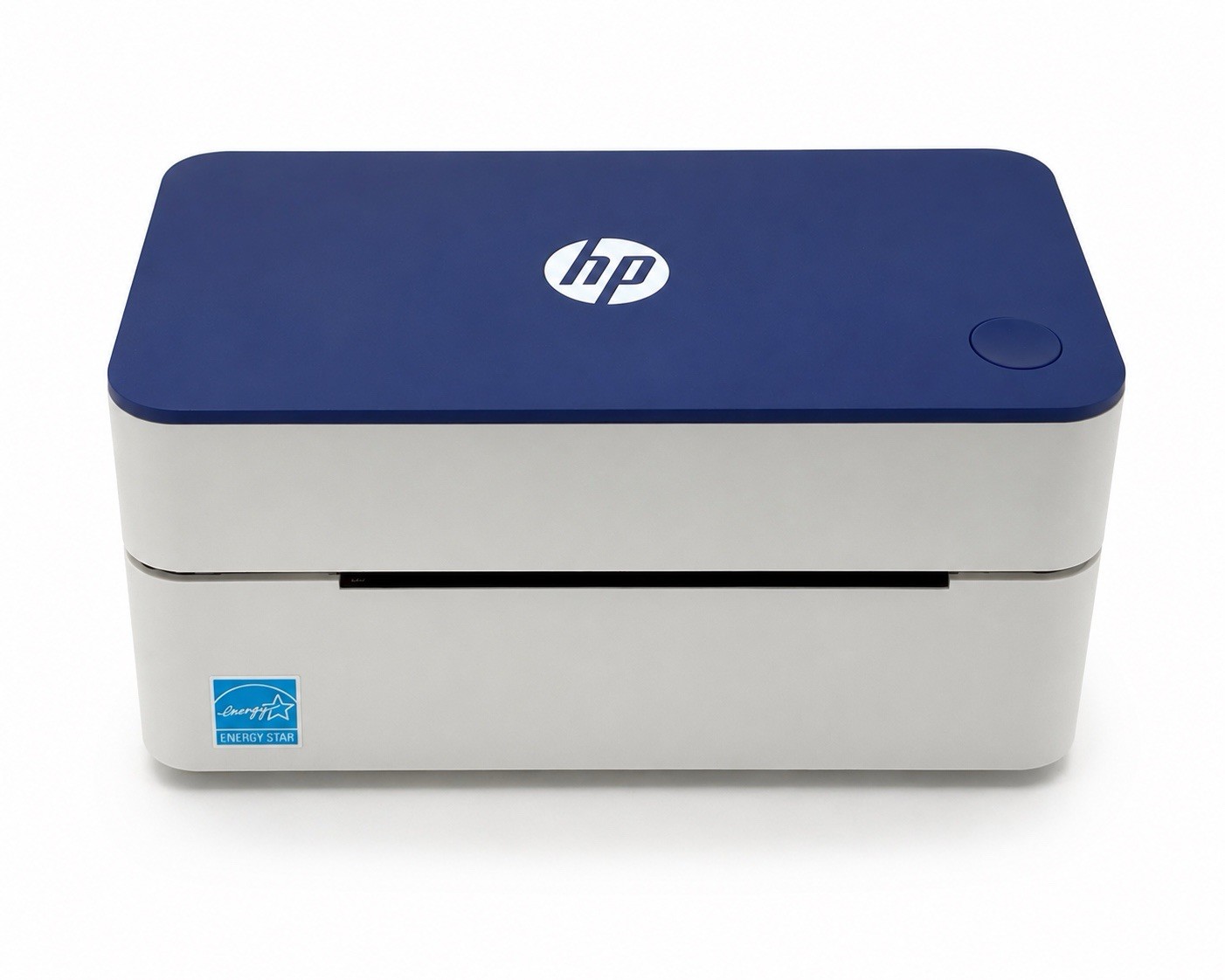

Photos from current listings. Actual item, color, and included accessories may vary.
HP Label Printer Buying Guide
HP label printers in this segment are compact direct-thermal barcode and shipping-label units, not inkjet or laser desktop printers. The core trade-off is print mechanism (direct thermal vs. thermal transfer) and media width (4×6 shipping vs. narrower bin/asset labels). Choose a 4×6 direct-thermal USB model for high-volume shipping; skip anything that requires proprietary cartridges or lacks 203-dpi resolution.
Key takeaways
- Direct thermal printing uses heat-sensitive media and eliminates ink, toner, and ribbons—lowest consumable cost for shipping labels.
- 203 dpi is the standard resolution for 4×6 shipping and barcode labels; 300 dpi is needed only for tiny fonts or dense 2D codes.
- USB 2.0 is the baseline interface; Ethernet or Bluetooth models cost more but enable network or mobile printing without a PC.
At a glance
- Category
- Label Makers & Supplies
- Last updated
- Nov 28, 2026
Current offers
Highlights
- Direct thermal printing uses heat-sensitive media and eliminates ink, toner, and ribbons—lowest consumable cost for shipping labels.
- 203 dpi is the standard resolution for 4×6 shipping and barcode labels; 300 dpi is needed only for tiny fonts or dense 2D codes.
- USB 2.0 is the baseline interface; Ethernet or Bluetooth models cost more but enable network or mobile printing without a PC.
- 4-inch (102 mm) max print width is the shipping standard; 2-inch models are for retail/bin/asset tags and cannot print 4×6 labels.
Best use cases
- Best fit: e-commerce sellers printing 4×6 carrier labels daily—pick a 4×6 direct-thermal USB model with 203 dpi and 150 mm/s speed.
- Best fit: warehouse bin and shelf labeling—choose a 2-inch (50 mm) model with 203 dpi; skip 4×6 units if you never print shipping labels.
- Wrong fit: light-duty home office printing fewer than 20 labels/month—a direct-thermal printer's media costs and setup outweigh occasional inkjet label sheets.
- Wrong fit: printing on plain paper or permanent colored labels—direct thermal requires thermal-grade media and fades with heat/light; choose thermal transfer instead.
Buying tips
- Match media width to your label: 4×6 shipping labels need a 4-inch (102 mm) print head; 2-inch (50 mm) models physically cannot feed 4×6 stock.
- Choose 203 dpi for standard shipping barcodes; step up to 300 dpi only if you print small asset tags with dense 2D codes under 1 inch.
- Confirm the interface you need: USB-only is cheapest; add Ethernet for shared office printing or Bluetooth for phone/tablet label apps.
- Direct thermal labels are heat-sensitive—store them below 80°F and away from sunlight; for outdoor or long-life labels, use thermal transfer with ribbon.
Specs
| Print Method | Direct thermal vs. thermal transfer |
|---|---|
| Max Media Width | 4 in (102 mm) shipping / 2 in (50 mm) tags |
| Resolution | 203 dpi standard / 300 dpi high-detail |
| Interface | USB 2.0 / Ethernet / Bluetooth |
Related searches
What to check before buying
- Measure your label stock: confirm max width (4 in / 102 mm) and roll core diameter (1 in or 3 in) fit the printer's media compartment.
- Verify interface: count USB ports on your computer; add Ethernet if multiple users will print or Bluetooth for mobile devices.
- Check media type: direct thermal requires thermal-coated labels; do not load plain paper or non-thermal stock or the print will be blank.
- Confirm power: most units ship with an external AC adapter; ensure your outlet voltage (110V vs. 220V) matches the adapter rating.
FAQ
Data sources: eBay / Amazon listings and product attribute feeds. Updated Nov 28, 2026.
Some links on this page are affiliate links. If you buy after clicking one, we may earn a commission at no extra cost to you. This does not change which products appear here or their order. Affiliate disclosure.