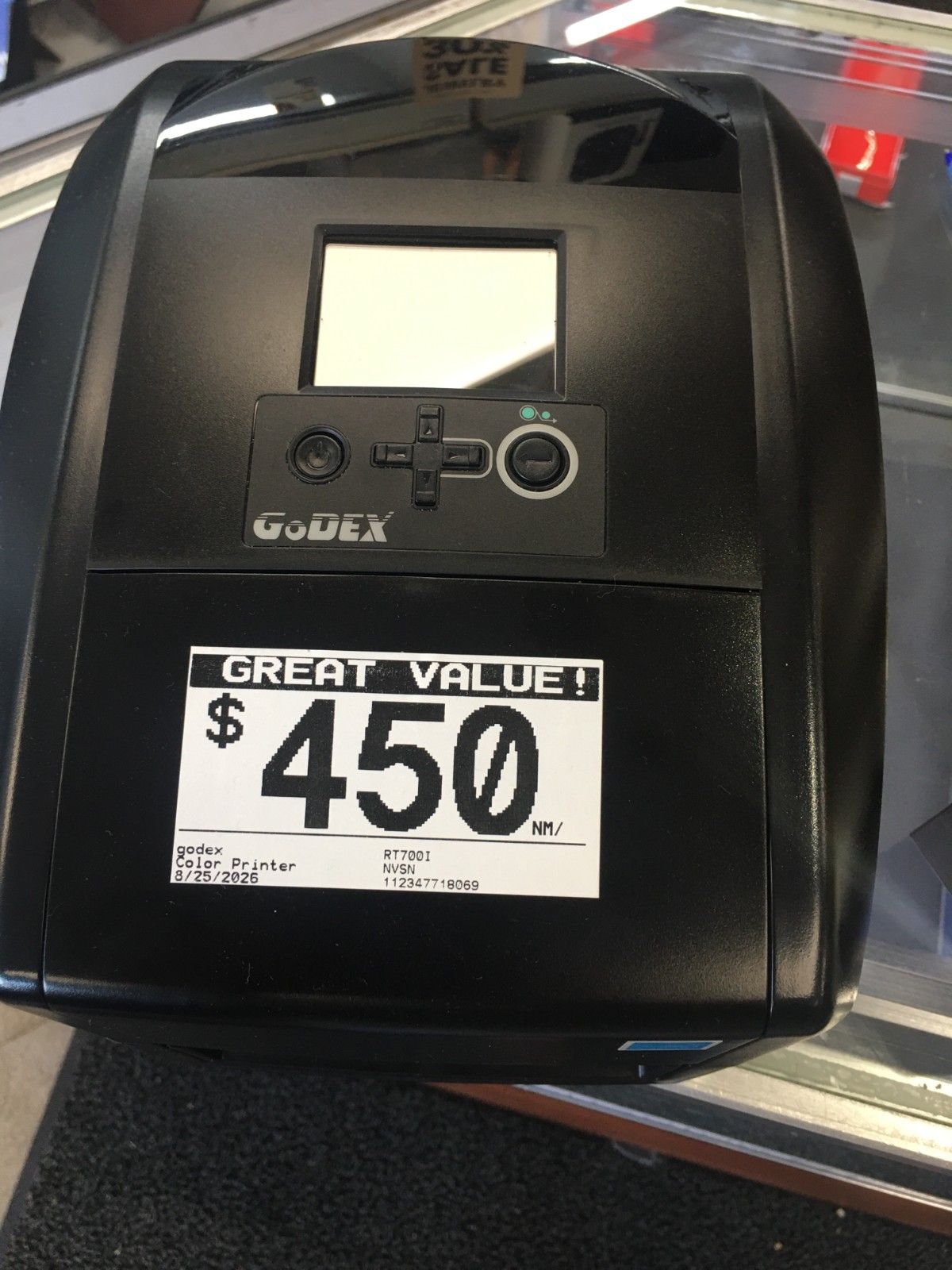

Photos from current listings. Actual item, color, and included accessories may vary.
Godex Label Printer Buying Guide
Godex label printers are commercial-grade thermal transfer and direct thermal machines built for continuous barcode, asset, and logistics printing, not occasional desktop labeling. The decisive trade-off is print mechanism durability and media flexibility: industrial cast-frame models with all-metal feed paths and 300 dpi heads outlast budget ABS units that warp and misalign under daily volume. Buy Godex only if you print from roll media with a required resolution and duty cycle that matches a metal chassis; skip it for craft or one-off label use.
Key takeaways
- Godex separates tiers by frame and mechanism: desktop ABS units (G500 series) for light duty versus die-cast aluminum industrial models (EZ, HD, RT series) rated for continuous 24/7 operation.
- Print resolution dictates barcode and tiny-text legibility: 203 dpi handles 4-inch logistics labels, while 300 dpi is required for 2D codes, small asset tags, and dense text under 6 pt.
- Thermal transfer requires ribbon and produces archival labels; direct thermal needs no ribbon but fades under heat, sunlight, and abrasion, so match mode to label lifespan.
At a glance
- Category
- Label Makers & Supplies
- Last updated
- Nov 28, 2026
Current offers
Highlights
- Godex separates tiers by frame and mechanism: desktop ABS units (G500 series) for light duty versus die-cast aluminum industrial models (EZ, HD, RT series) rated for continuous 24/7 operation.
- Print resolution dictates barcode and tiny-text legibility: 203 dpi handles 4-inch logistics labels, while 300 dpi is required for 2D codes, small asset tags, and dense text under 6 pt.
- Thermal transfer requires ribbon and produces archival labels; direct thermal needs no ribbon but fades under heat, sunlight, and abrasion, so match mode to label lifespan.
- Modern Godex models use USB 2.0 plus Ethernet or serial/parallel, with optional Wi-Fi and Bluetooth modules; check the exact interface card because connectivity is model-specific, not universal.
Best use cases
- Best fit: warehouse and 3PL operations printing 4x6 shipping labels at high volume should pick a 203 dpi industrial Godex with Ethernet and a 300 m ribbon capacity; skip desktop ABS units that overheat after a few hundred labels.
- Best fit: electronics, medical, or asset-tagging workflows needing small 2D codes and dense text should choose a 300 dpi model; skip 203 dpi units if label content includes QR codes under 0.5 in or 4 pt text.
- Best fit: retail shelf labels and short-life tags suit direct thermal Godex models with no ribbon cost; skip direct thermal for outdoor, freezer, or chemical-exposed labels where thermal transfer with resin ribbon is mandatory.
- Wrong fit: crafters, home organizers, and occasional office labeling should skip Godex entirely; a consumer desktop label maker with cartridge media is cheaper to own and needs no ribbon calibration.
Buying tips
- Match dpi to content: 203 dpi (8 dots/mm) for 4-inch logistics and barcode labels at 10 mil+; 300 dpi (12 dots/mm) for 2-inch asset tags, 2D codes, and text below 6 pt.
- Size media correctly: Godex models accept roll OD up to 8 in on many industrial units and 5 in on desktop units; confirm core size (1 in or 3 in) and max media width before choosing a chassis.
- Ribbon capacity drives reload frequency: industrial Godex printers take 300 m ribbons versus 74-110 m on desktop models; high-volume runs demand the larger spindle to avoid hourly changes.
- Interface cards are model-specific: standard units ship USB plus optional Ethernet or serial; order the network-ready configuration if multiple users will print, since retrofitting a card can cost as much as the upgrade.
Specs
| Print Method | Thermal transfer / Direct thermal |
|---|---|
| Max Resolution | 203 dpi or 300 dpi |
| Frame Build | ABS desktop vs die-cast industrial |
| Media Width | Up to 4 in (102 mm) standard |
Related searches
What to check before buying
- Measure your label roll: width, core diameter (1 in or 3 in), and maximum outer diameter must fit the printer's media compartment; industrial Godex models accept larger rolls than desktop ones.
- Confirm power: Godex printers are region-specific 100-240 V AC with the correct plug type; specify the destination country's cord at purchase because the external adapter is not universal.
- Check ribbon spindle compatibility: thermal transfer models need the correct ribbon core (1 in or 0.5 in) and winding direction; direct thermal models have no ribbon spindle and cannot be upgraded later.
- Verify software and driver support: Godex provides Windows and Linux drivers plus BarTender and Nicelabel compatibility; confirm the model's driver package exists for your OS version before buying.
FAQ
Data sources: eBay / Amazon listings and product attribute feeds. Updated Nov 28, 2026.
Some links on this page are affiliate links. If you buy after clicking one, we may earn a commission at no extra cost to you. This does not change which products appear here or their order. Affiliate disclosure.