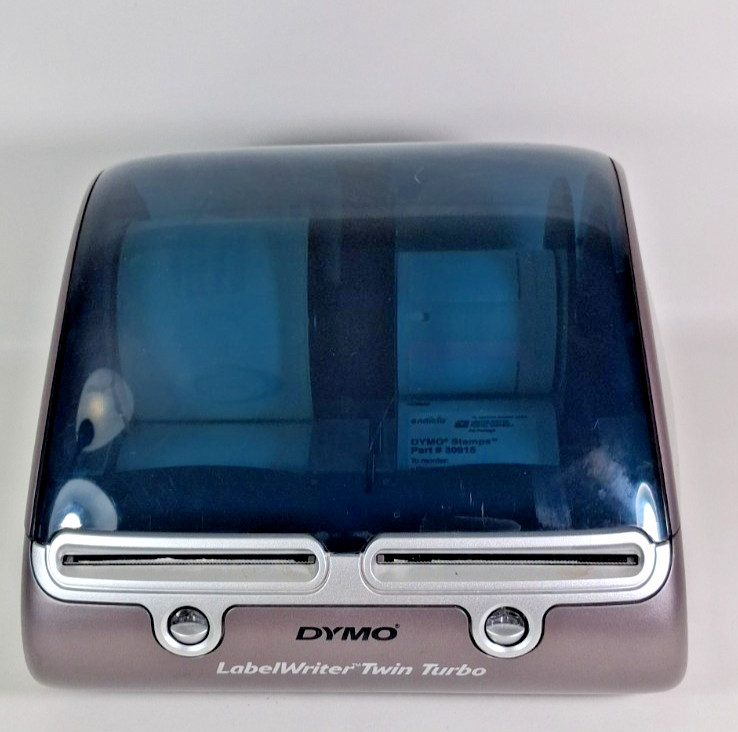

Photos from current listings. Actual item, color, and included accessories may vary.
Dymo Labelwriter 550 Turbo Buying Guide
The Dymo LabelWriter 550 Turbo is a direct-thermal desktop label printer built for high-volume shipping, barcode, and address labeling without ink or toner. The main trade-off is between the 550 Turbo's faster print speed and Ethernet connectivity versus the standard 550's USB-only, slower operation; both use the same authentic Dymo LW rolls, and counterfeit or third-party media is the primary durability and print-quality risk.
Key takeaways
- Direct-thermal architecture eliminates ink/toner; print quality depends on media coating and resolution (typically 300 dpi class for crisp barcodes).
- 550 Turbo adds Ethernet and higher throughput versus the USB-only 550, making it the tier for shared or high-duty shipping stations.
- Authentic Dymo LabelWriter rolls include RFID authentication; third-party rolls may be rejected or produce faded, smeared output.
At a glance
- Category
- Label Makers & Supplies
- Last updated
- Nov 29, 2026
Current offers
Highlights
- Direct-thermal architecture eliminates ink/toner; print quality depends on media coating and resolution (typically 300 dpi class for crisp barcodes).
- 550 Turbo adds Ethernet and higher throughput versus the USB-only 550, making it the tier for shared or high-duty shipping stations.
- Authentic Dymo LabelWriter rolls include RFID authentication; third-party rolls may be rejected or produce faded, smeared output.
- Print width is fixed to the LabelWriter roll format (address, shipping, barcode, name badge), not general-purpose sheet labeling.
Best use cases
- Best fit: e-commerce shippers printing 4x6 thermal shipping labels and barcodes daily — choose the 550 Turbo for Ethernet and speed.
- Best fit: shared office or mailroom where multiple computers print — pick the 550 Turbo's network port; skip the USB-only 550.
- Wrong fit: buyers needing wide-format, color, or sheet labels — skip this line entirely and choose a different printer class.
- Wrong fit: low-volume occasional labelers — a basic USB 550 or hand labeler is sufficient; the Turbo premium is wasted.
Buying tips
- Choose 550 Turbo over 550 only if you need Ethernet networking or higher print throughput; otherwise the USB 550 is the same media ecosystem.
- Budget for authentic Dymo LabelWriter rolls — counterfeit media is the top cause of faded prints and rejected rolls on RFID-equipped units.
- Confirm the printer includes its power adapter; used or 'Grade C' listings frequently ship without one, and the adapter is proprietary.
- Match roll size to your workflow: 4x6 shipping labels for parcels, address-sized rolls for envelopes, and barcode rolls for inventory.
Specs
| Print Technology | Direct thermal, no ink/toner |
|---|---|
| Connectivity Tier | USB 2.0 + Ethernet (Turbo) |
| Max Print Width | LabelWriter roll format (4x6 class) |
| Media Authentication | RFID on genuine Dymo rolls |
Related searches
What to check before buying
- Verify the listing includes the original Dymo power adapter — the unit will not run on generic USB power alone.
- Measure your label station footprint: the 550 Turbo is a compact desktop unit but needs clearance for the rear roll holder and front label exit.
- Confirm your computer has an available USB port or Ethernet drop, and that Dymo Connect software supports your OS version.
- Check that you can source authentic Dymo LabelWriter rolls in your required sizes before committing to the platform.
FAQ
Data sources: eBay / Amazon listings and product attribute feeds. Updated Nov 29, 2026.
Some links on this page are affiliate links. If you buy after clicking one, we may earn a commission at no extra cost to you. This does not change which products appear here or their order. Affiliate disclosure.