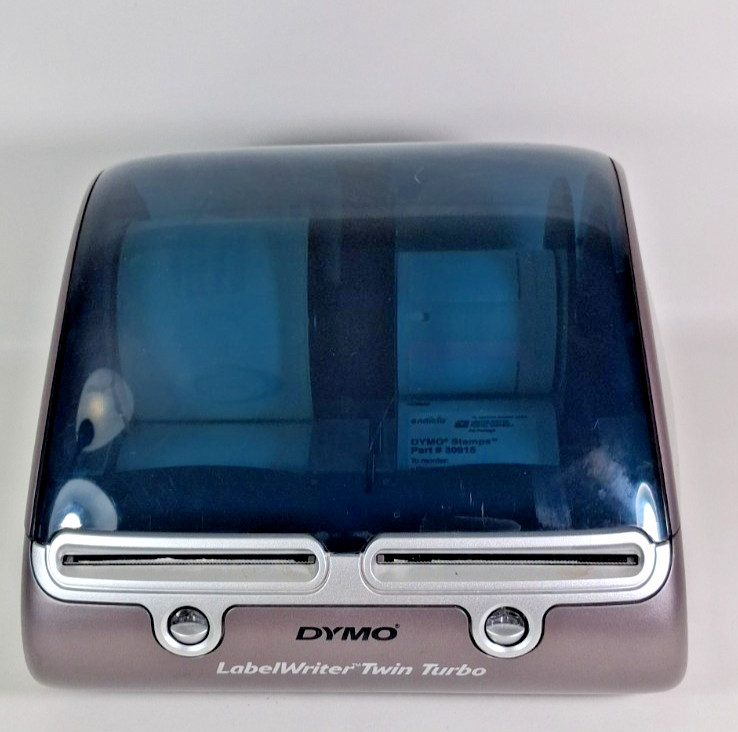

Photos from current listings. Actual item, color, and included accessories may vary.
Dymo Labelwriter 450 Turbo Buying Guide
The Dymo LabelWriter 450 Turbo is a direct-thermal desktop label printer built for high-volume 4-line-per-second address and barcode output, not for photo-quality or wide-format work. The core trade-off is speed versus consumable lock-in: it prints fast and cheaply per label, but only accepts Dymo-authenticated thermal rolls and needs a power brick and USB host to run. Buy it only as a complete, tested unit with the original 24V adapter; skip any bare or untested printer listing unless you already own the correct supply.
Key takeaways
- Direct-thermal print engine, 600 x 300 dpi, up to 71 labels/min (4 lines/sec) on standard address labels — no ink or toner, but heat-sensitive rolls only.
- Model 1750283 Turbo uses a 24V DC 1.5A external power supply and USB 2.0 Type-B connection; the supply is not universal and is frequently missing on resale units.
- Genuine Dymo LW rolls embed RFID authentication; third-party rolls without a valid chip can be rejected or print with degraded contrast.
At a glance
- Category
- Label Makers & Supplies
- Last updated
- Nov 29, 2026
Current offers
Highlights
- Direct-thermal print engine, 600 x 300 dpi, up to 71 labels/min (4 lines/sec) on standard address labels — no ink or toner, but heat-sensitive rolls only.
- Model 1750283 Turbo uses a 24V DC 1.5A external power supply and USB 2.0 Type-B connection; the supply is not universal and is frequently missing on resale units.
- Genuine Dymo LW rolls embed RFID authentication; third-party rolls without a valid chip can be rejected or print with degraded contrast.
- Accepts LabelWriter label widths from 0.25 in to 2.44 in, including address, shipping, barcode, folder, and name-badge formats up to 2.44 x 4 in.
Best use cases
- Best fit: small-office or eBay/Etsy seller printing 10–200 address, shipping, and barcode labels per day — buy a tested Turbo with the 24V adapter and a starter roll.
- Wrong fit: anyone needing waterproof, chemical-resistant, or outdoor labels — direct-thermal paper smudges with heat, sunlight, and moisture; step up to a thermal-transfer printer.
- Wrong fit: wide-format or custom die-cut shapes beyond 2.44 in — the 450 Turbo caps at 2.44 in width; choose a 4-inch industrial thermal printer instead.
- Best fit: legacy Dymo Desktop software or DYMO Label v8 workflows on Windows/macOS — the 450 series is driver-mature; skip if you require only cloud/mobile-only printing.
Buying tips
- Confirm the exact model code: 1750283 is the Turbo (4 lines/sec); 1750110 is the standard 450 (3 lines/sec) — the Turbo's speed only matters above roughly 50 labels/day.
- Do the consumable math: genuine LW address rolls run about 350 labels per roll; budget for RFID-chipped Dymo stock, since unchipped third-party rolls may not feed reliably.
- Require the original 24V 1.5A Dymo adapter in the box; a missing supply means buying a compatible brick, and incorrect polarity/voltage can brick the mainboard.
- Match label size to the 2.44 in max width before buying: standard address is 1.125 x 3.5 in, shipping is 2.125 x 4 in — oversized formats will not load.
Specs
| Print Engine | Direct thermal, 600 x 300 dpi |
|---|---|
| Max Print Speed | 71 labels/min (Turbo) |
| Max Label Width | 2.44 in / 62 mm |
| Power Input | 24V DC 1.5A external adapter |
Related searches
What to check before buying
- Measure your desk footprint: the unit is roughly 7.4 x 7.6 x 5.5 in and needs rear clearance for the USB-B and 24V barrel jack.
- Verify your computer has a free USB-A port and that your OS is supported by the Dymo Label v8 driver (Windows 7+ / macOS 10.9–10.15 era; newer macOS needs the current Dymo driver).
- Confirm 120V/60Hz wall power for the 24V adapter if in North America; elsewhere use a step-down or the correct regional Dymo supply.
- Buy a starter roll of genuine LabelWriter labels in the exact size you need — the printer ships without labels in most resale listings.
FAQ
Data sources: eBay / Amazon listings and product attribute feeds. Updated Nov 29, 2026.
Some links on this page are affiliate links. If you buy after clicking one, we may earn a commission at no extra cost to you. This does not change which products appear here or their order. Affiliate disclosure.