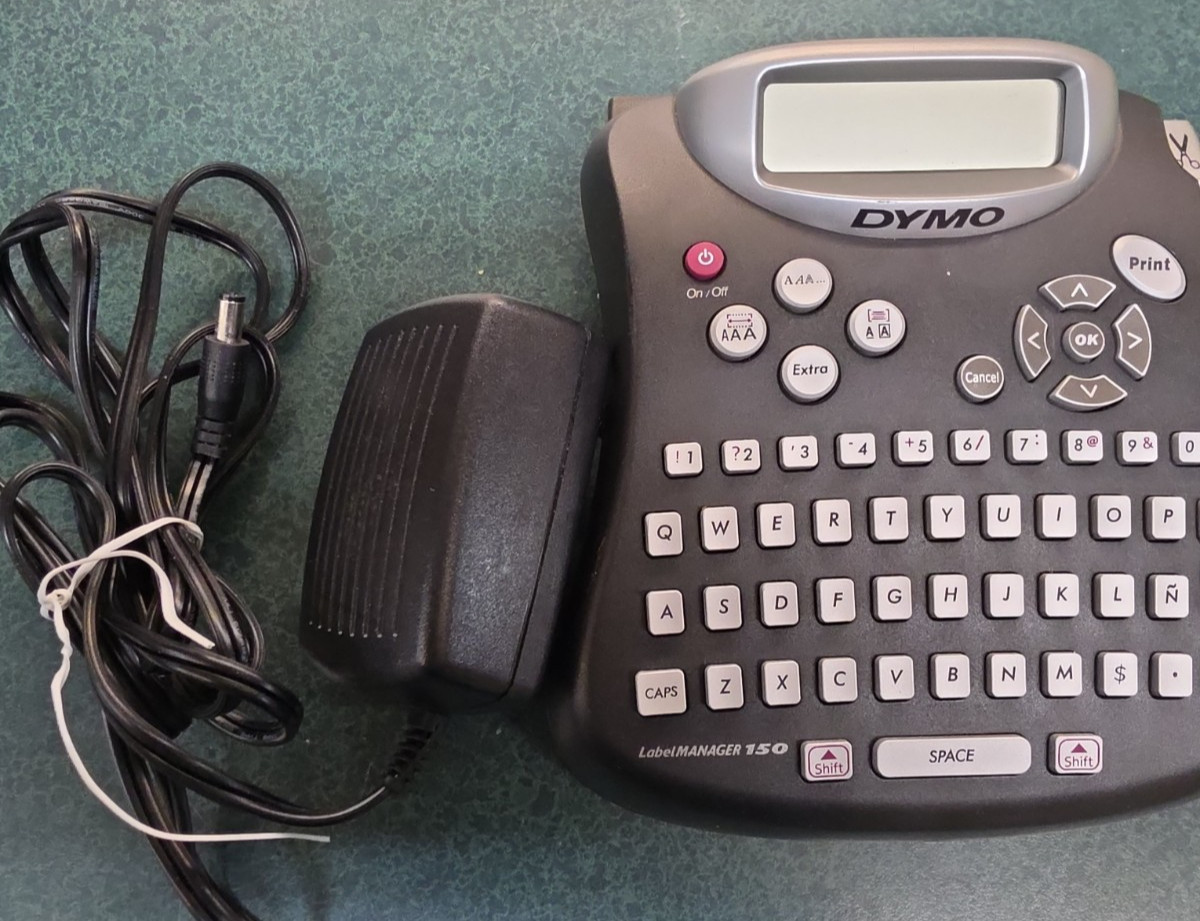

Photos from current listings. Actual item, color, and included accessories may vary.
Dymo LabelManager 150 Buying Guide
The Dymo LabelManager 150 is a desktop thermal label maker that uses direct thermal printing—no ink or toner—and accepts Dymo D1 interchangeable label cartridges. The core trade-off is between its sturdy AC-powered desktop build and the lack of battery portability or PC connectivity found on higher-tier models. Buy it only if you need a simple, standalone keyboard labeler for light office or home organization; skip it if you need wireless printing, PC editing, or high-volume output.
Key takeaways
- Direct thermal print engine requires no ink ribbons or toner, using heat-sensitive D1 cartridges in widths from 6mm to 19mm.
- AC adapter-powered desktop design delivers consistent print speed and avoids battery drain, but has no battery compartment for cordless use.
- Built-in QWERTY keyboard and monochrome LCD support standalone label creation with font sizes, styles, and basic symbols—no PC or app required.
At a glance
- Category
- Label Makers & Supplies
- Status
- Listings available
- Last updated
- Nov 29, 2026
Current offers
Highlights
- Direct thermal print engine requires no ink ribbons or toner, using heat-sensitive D1 cartridges in widths from 6mm to 19mm.
- AC adapter-powered desktop design delivers consistent print speed and avoids battery drain, but has no battery compartment for cordless use.
- Built-in QWERTY keyboard and monochrome LCD support standalone label creation with font sizes, styles, and basic symbols—no PC or app required.
- Single-cartridge system accepts Dymo D1 tapes; print resolution is sufficient for clear text and barcodes at typical office label sizes.
Best use cases
- Best fit: home office filing, pantry jars, cable labeling, and shelving where a dedicated keyboard labeler stays on a desk near a power outlet.
- Best fit: users who want a low-maintenance thermal printer with no ink costs and simple push-button operation for occasional labeling tasks.
- Wrong fit: anyone needing on-the-go labeling in the field or warehouse aisles—choose a battery-powered handheld model instead.
- Wrong fit: users who need PC or smartphone connectivity for database imports, barcode generation, or multi-line templates—step up to a LabelManager with USB or wireless.
Buying tips
- Confirm the unit includes the AC power supply; without it the LabelManager 150 cannot operate since it has no battery option.
- Stock D1 cartridges in 12mm width for general-purpose labeling and 19mm for larger signage; 6mm and 9mm suit cable flags and narrow surfaces.
- Check that the D1 cartridge is genuine Dymo or a reputable compatible brand; cheap third-party tapes often jam or fade under heat.
- Skip models bundled only with a starter cartridge if you plan volume labeling—buy multi-packs of the width you use most to reduce per-label cost.
Specs
| Print Technology | Direct thermal, no ink/toner |
|---|---|
| Tape System | Dymo D1 cartridges, 6-19mm |
| Power Source | AC adapter only (no battery) |
| Connectivity | Standalone keyboard, no PC/app |
Alternatives to compare
Related searches
What to check before buying
- Measure your labeling surfaces: 12mm tape fits most file folders and shelf edges; 19mm is needed for larger bins and signage.
- Verify a nearby AC outlet at your labeling station—this model has no battery power and must stay plugged in.
- Confirm you are buying a complete unit with the power adapter; used listings often omit it.
- Check that D1 cartridges for your chosen widths are readily available from local or online suppliers before committing.
FAQ
Data sources: eBay / Amazon listings and product attribute feeds. Updated Nov 29, 2026.
Some links on this page are affiliate links. If you buy after clicking one, we may earn a commission at no extra cost to you. This does not change which products appear here or their order. Affiliate disclosure.