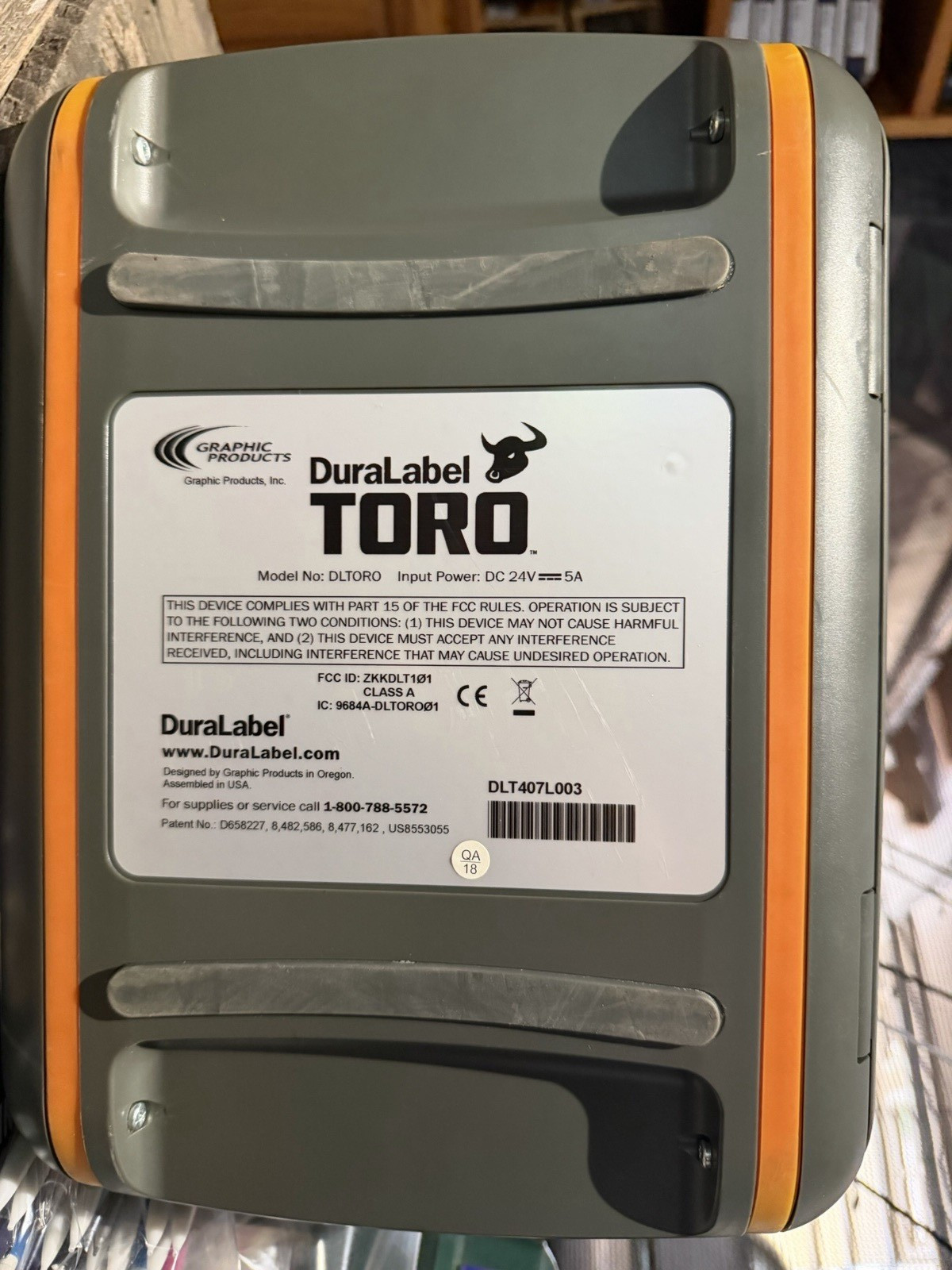

Photos from current listings. Actual item, color, and included accessories may vary.
DuraLabel Toro Buying Guide
The DuraLabel Toro is a heavy-duty industrial label printer built for on-demand printing of durable pipe markers, arc flash labels, and equipment tags that must survive harsh environments. The primary trade-off is between rugged all-metal construction and proprietary consumables versus cheaper desktop units that cannot handle thick adhesive-backed vinyl or extreme temperatures. Choose the Toro only if you need a standalone keyboard-equipped unit that prints thick, industrial-grade labels without a PC; otherwise, a standard desktop label maker will suffice.
Key takeaways
- Industrial thermal transfer printer with built-in keyboard and LCD for standalone operation, no PC required for basic labeling.
- Accepts thick adhesive-backed vinyl, polyester, and heat-shrink tube media up to 4 inches wide for pipe and panel marking.
- All-metal chassis and print mechanism rated for high-volume production environments, unlike plastic desktop label makers.
At a glance
- Category
- Label Makers & Supplies
- Status
- Listings available
- Last updated
- Nov 29, 2026
Current offers
Highlights
- Industrial thermal transfer printer with built-in keyboard and LCD for standalone operation, no PC required for basic labeling.
- Accepts thick adhesive-backed vinyl, polyester, and heat-shrink tube media up to 4 inches wide for pipe and panel marking.
- All-metal chassis and print mechanism rated for high-volume production environments, unlike plastic desktop label makers.
- Proprietary ribbon and media system requires DuraLabel-branded supplies; third-party refills are not officially supported.
Best use cases
- Best fit: manufacturing plants and electrical contractors printing arc flash and pipe labels on-site with a standalone keyboard unit; skip if you only need occasional mailing labels.
- Best fit: facilities needing labels that resist chemicals, UV, and abrasion for outdoor equipment tagging; skip if labels are for indoor file folders only.
- Best fit: high-volume print runs where a metal chassis and long-duty cycle justify the cost; skip if you print fewer than a few hundred labels per month and can use a PC-connected desktop model.
Buying tips
- Choose the Toro only if you need standalone keyboard operation and thick media up to 4 inches wide; for PC-connected printing of standard labels, a lower-tier DuraLabel model is more cost-effective.
- Verify that you can source DuraLabel-branded ribbons and media in your required widths and materials before buying, as the printer does not accept generic third-party supplies.
- Confirm the printer includes the necessary ribbon and media at purchase, since the Toro is often sold as a base unit and supplies are sold separately.
- Check that your label material needs (vinyl, polyester, heat-shrink) match the Toro's supported media types; for paper labels only, a desktop label maker is sufficient.
Specs
| Print Method | Thermal transfer |
|---|---|
| Max Media Width | 4 in (101.6 mm) |
| Standalone Operation | Built-in keyboard/LCD |
| Chassis Material | Metal industrial |
Alternatives to compare
Related searches
What to check before buying
- Measure your intended label width: the Toro supports media up to 4 inches, so ensure your required labels fall within this range.
- Confirm you have a stable power source and enough benchtop space for the Toro's industrial footprint and metal chassis.
- Verify that you can obtain DuraLabel-branded ribbons and media in your required sizes and materials from a reliable supplier.
- Ensure you have access to a computer if you need to design complex labels, as the built-in keyboard is best for basic text and barcodes.
FAQ
Data sources: eBay / Amazon listings and product attribute feeds. Updated Nov 29, 2026.
Some links on this page are affiliate links. If you buy after clicking one, we may earn a commission at no extra cost to you. This does not change which products appear here or their order. Affiliate disclosure.