Deciding between a vintage embossing label maker and a Bluetooth mini label printer? When you're choosing label makers supplies, the real question is how you want to create labels. The blue Embossing Label Maker costs USD 24.51, while the Phomemo D30 Bluetooth Label Maker costs USD 27.70, a difference of about $3.19. That small price gap hides a big difference in workflow: one is a manual, inkless embosser; the other is an app-connected thermal printer.
Quick Verdict
If you want instant, tactile labels without apps, power, or setup, get the Embossing Label Maker. If you want custom labels designed on your phone with fonts, icons, and templates, get the Phomemo D30.
Comparison Table
| Product | Price | Power / Setup | Ideal For |
|---|---|---|---|
| Embossing Label Maker (Blue) | USD 24.51 | Manual, inkless embosser | Vintage journal and craft labels |
| Phomemo D30 Bluetooth Label Maker | USD 27.70 | Bluetooth, app-driven thermal printer | Phone-based custom labels |
Where Each Product Wins
Embossing Label Maker (Blue)
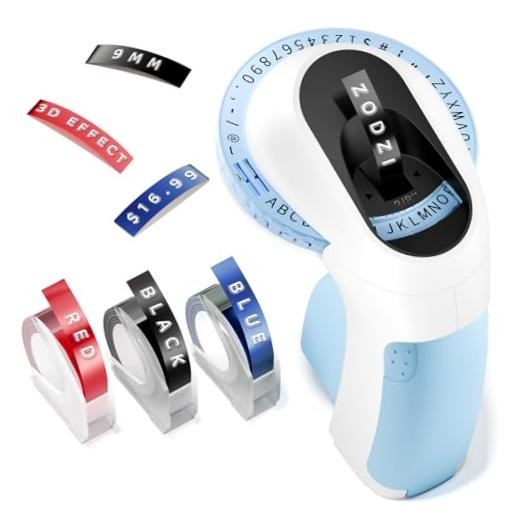
The Embossing Label Maker wins on simplicity and portability. It doesn't need ink, electricity, batteries, or an app, so you can keep it in a desk drawer or craft bag and use it anywhere. It embosses 48 characters, from A to Z and 0 to 9, plus common symbols and a space bar. The four-line character calibration helps keep letters neat for journal titles and small tags.
Phomemo D30 Bluetooth Label Maker
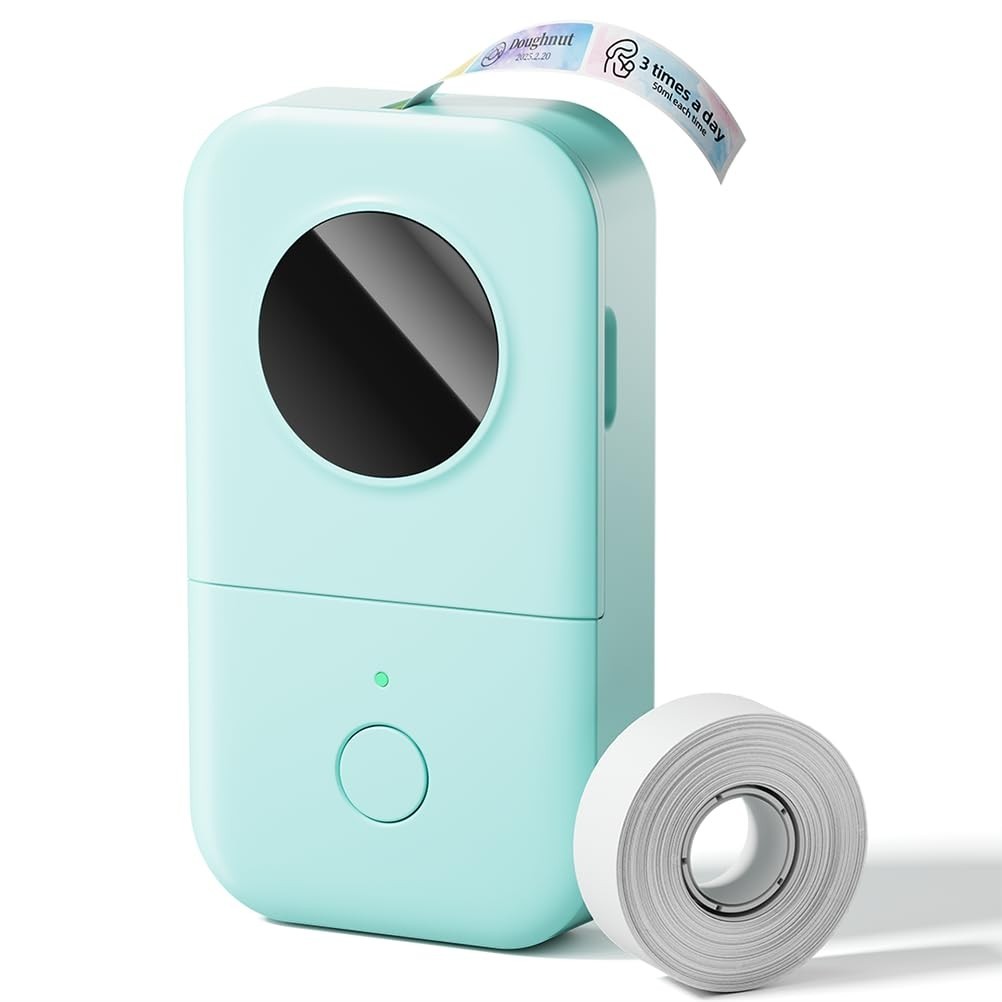
The Phomemo D30 wins on creative control and connectivity. Bluetooth lets you pair it with your phone, and the Print Master app gives you a large design library of icons, borders, fonts, and ready-made templates. It supports continuous tape and fixed-length labels, and the German thermal print head keeps printing clean and smooth. If you want to design and print without leaving the app, this is the more capable tool.
Product Notes
Embossing Label Maker (Blue)
This blue embossing label maker is the straightforward option for anyone who wants retro-looking labels without power, batteries, or app setup. It uses a wheel with 48 characters, including A to Z, 0 to 9, and common symbols, so you can make short labels right on the spot. Four-line character calibration helps keep letters aligned, which is especially useful for journal titles and small craft tags. If you prefer a mechanical, hands-on process and enjoy the raised embossed effect, this model delivers that classic look. It can print anywhere because it doesn't rely on electricity or a phone. On the other hand, you'll be turning the wheel manually for each character, and the setup asks you to align the '|||' symbol on the side before flipping to the character. For quick, no-fuss labels with vintage character, this is the easier, more portable pick.
Phomemo D30 Bluetooth Label Maker
The Phomemo D30 is the connected option for label makers supplies. It pairs over Bluetooth with the Print Master app, where you can pull from thousands of icons, borders, fonts, and design materials, plus ready-made templates. That makes it easy to create custom labels for storage bins, kitchen jars, office folders, and gift tags. The D30 also supports continuous tape and fixed-length labels, and it has a German thermal print head for clean, smooth printing. At this price it gives you more design control than a manual embosser. The catch is that you have to use your phone and the app; it's not the grab-and-go tool the embosser is. It also prints in black, so if you want raised, silvery embossed letters, you won't get that effect here. For organized, personalized labeling projects, the D30 is the stronger choice.
Final Choice by Use Case
- For journaling, scrapbooking, and craft tags: the blue Embossing Label Maker is the natural pick because it's manual, portable, and creates classic raised letters.
- For home or office organizing with different label styles: the Phomemo D30 is the better fit since you can customize each label on your phone and print straight from the app.
- If you don't want to open an app every time you make a label: choose the blue Embossing Label Maker.
- If you want to personalize labels with fonts, borders, and icons: choose the Phomemo D30.
