When you're browsing label makers supplies, the real decision is usually not which machine prints faster-it's whether you need to create labels from scratch or apply labels you already have. These two tools sit on opposite sides of that choice. The blue embossing label maker is a manual, inkless embosser that raises characters directly onto tape. The Label Wizard adjustable applicator is a guided tool for placing finished labels onto bottles, jars, candles, and other containers. There's a $25 price gap between them, but the bigger difference is the job each one is built for.
Quick Verdict
If you want a portable, low-fuss way to make your own labels for journals, planners, cards, and craft projects, the Embossing Label Maker is the one to pick. If you have a stack of containers waiting for labels, The Label Wizard Adjustable Applicator is the more useful tool. Choose based on your workflow: create labels with the embosser, apply labels with The Label Wizard.
Price & Feature Comparison
| Product | Listed Price | What It Does | Best For |
|---|---|---|---|
| Embossing Label Maker (Blue) | $24.51 | Manual embosser with 48-character wheel covering A-Z, 0-9, and common symbols | Journaling, planners, card making, craft labels |
| The Label Wizard Adjustable Applicator | $49.95 | Adjustable sliding platform, ruler scale, and squeegee bar for container labels | Candle makers, soap makers, home brewers, cottage food producers |
Where Each Product Wins
Embossing Label Maker (Blue) wins when...
- You want to make labels on the spot.
- You like the raised, tactile look of embossed characters.
- You're working on journals, planners, greeting cards, or small craft projects.
The Label Wizard wins when...
- You need to apply many labels quickly and consistently.
- You want a guiding platform and squeegee to get bubble-free placement.
- You're running a small-batch product line that depends on neat container labels.
Product Notes
#### Vintage Blue Embossing Label Maker
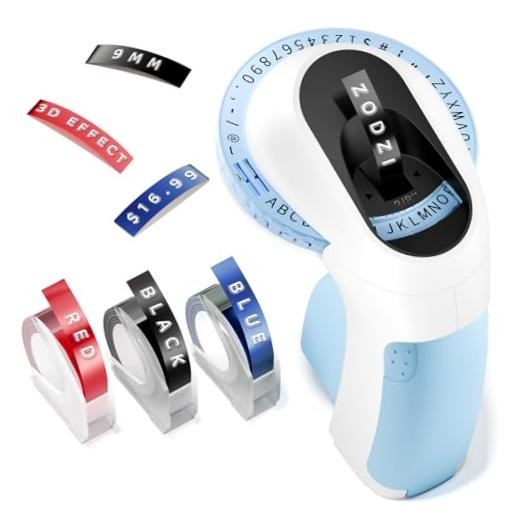
For journal pages, planners, and handmade cards, the blue embossing label maker shines because it creates a raised character using only manual pressure. It embosses the English letters "A to Z," the numbers "0 to 9," and common symbols, so you can assemble words, dates, and simple labels directly on tape. The four-line character calibration helps keep letters aligned, making it easy to produce neat labels in short sessions. The trade-off is that it is a print-only manual embosser, so you're limited to the built-in character set rather than free-form fonts or custom graphics. If you enjoy that vintage embossed look and want a quiet, portable crafting companion, the embosser is the one to reach for.
#### The Label Wizard Adjustable Applicator Tool
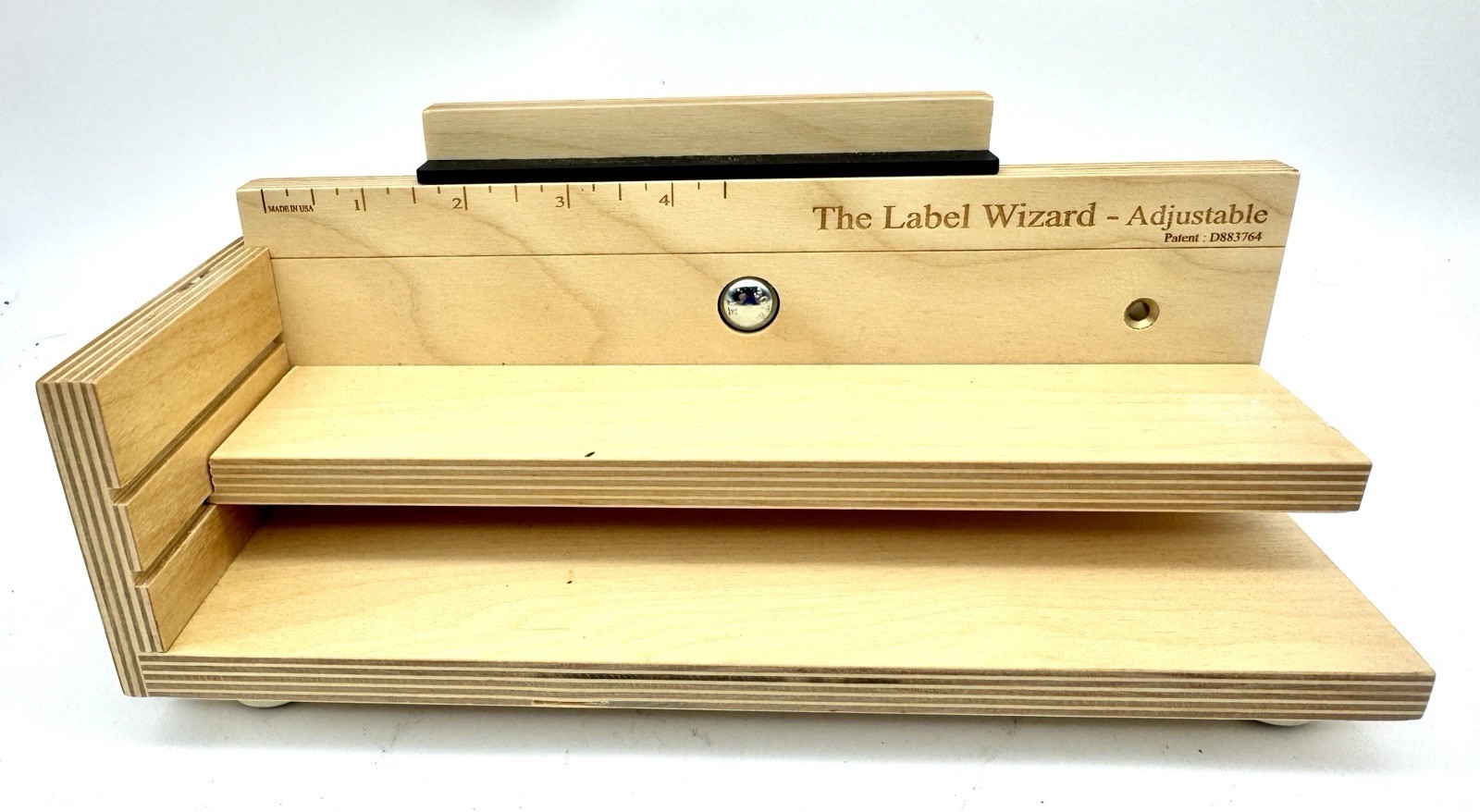
When your task is applying labels to containers, The Label Wizard takes care of the precision. The adjustable model includes a sliding platform controlled by a locking star knob, an engraved ruler scale from 0 to more than 4 inches, and a rubber/foam squeegee bar that helps press labels down without bubbles. A left-side fence guide and non-slip rubber feet keep the workpiece stable, and the Baltic birch plywood base gives the tool a solid feel. This is a used model in great condition. The limitation is that the applicator doesn't create labels; it only positions ones you've already printed or purchased. For small-batch producers who label many containers, the applicator is about repeatable placement rather than label design.
Final Choice by Use Case
- Choose the Embossing Label Maker if you want to create your own embossed labels for journals, planners, cards, and craft projects.
- Choose The Label Wizard Adjustable Applicator if you need to apply finished labels to containers with consistent straightness.
- If you're building a labeling station from scratch, decide which half of the job you actually need. The embosser gives you creation; The Label Wizard gives you placement. One tool may be enough if your workflow is centered on one side.
