Choosing between two Dymo label makers comes down to how and where you'll use them. Are you printing labels from a computer for shipping and filing, or do you want to type them directly on a label maker? The Dymo LabelWriter 4XL and the Dymo Label Manager 220P are both used tools from Dymo, but they handle the job differently. The price spread between them is $149.98, so it's worth knowing what that extra money buys.
Quick Verdict
If your labels need to come from a computer, the Dymo LabelWriter 4XL is the right call. It's a label printer that uses a USB connection and prints black-and-white output. If you'd rather work without a computer and want a complete kit, the Dymo Label Manager 220P is the straightforward pick.
At a Glance Comparison
| Feature | Dymo LabelWriter 4XL | Dymo Label Manager 220P |
|---|---|---|
| Listed Price | $179.97 | $29.99 |
| Device Type | Thermal label printer | Label maker |
| Included | Power supply & USB labels | Carrying case, power adapter, extra label tape |
| Condition | Used | Used |
Where Each Product Wins
Dymo LabelWriter 4XL
- Best when your labels start as digital files and need to be printed from a desktop.
- No ink or toner to buy.
Dymo Label Manager 220P
- Best when you want a self-contained label maker that comes ready to use.
- Silver/black/blue design fits well in an office or business setting.
Product Notes
Dymo LabelWriter 4XL
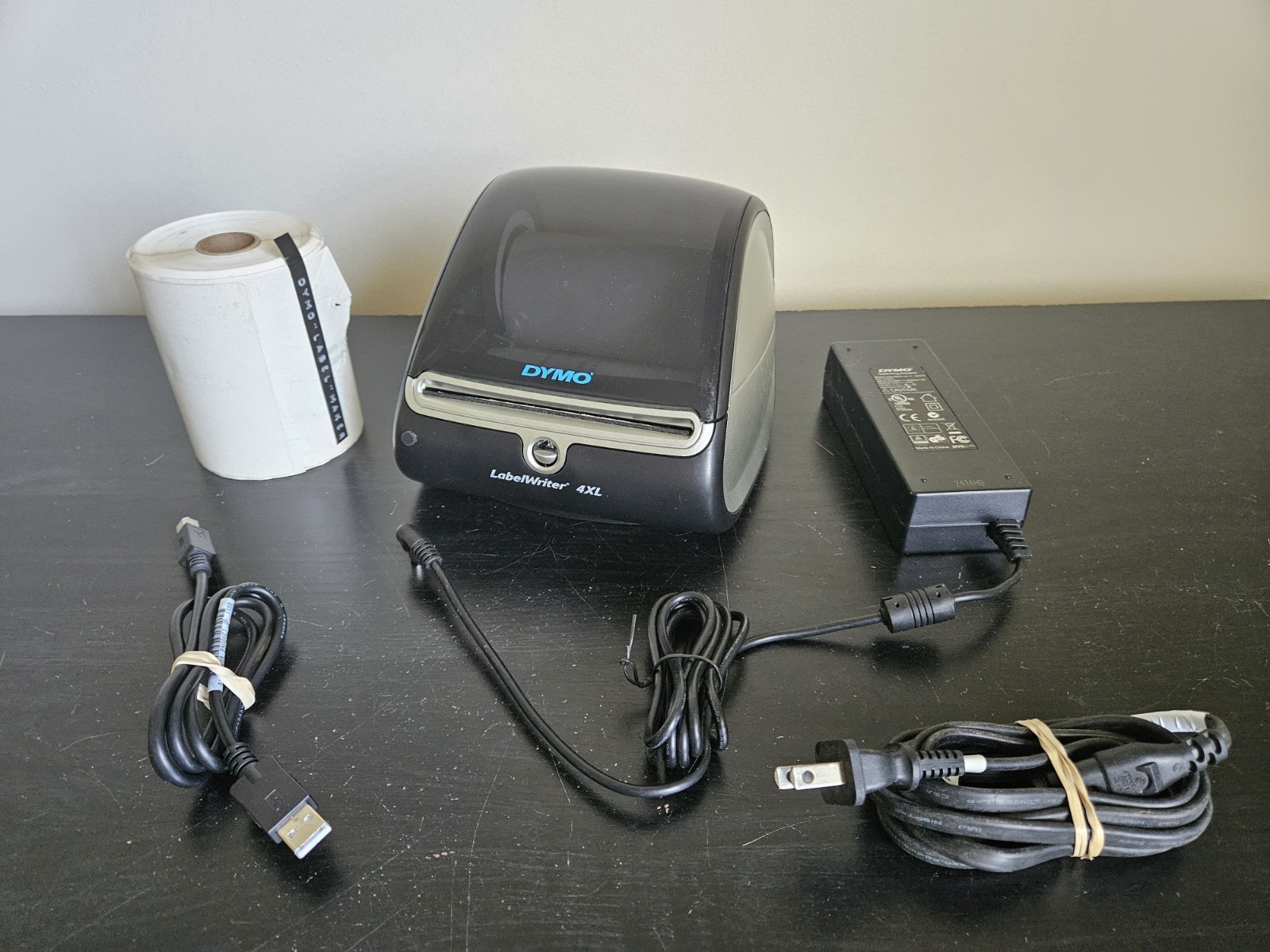
The Dymo LabelWriter 4XL is a used thermal label printer in good condition with normal signs of previous use. At $179.97, it's positioned as a desktop tool for labeling tasks that start on a computer. It connects over USB, so you can print address labels, shipping labels, or file labels without leaving your desk. The printer produces black-and-white thermal labels, which eliminates ink and toner replacements. It also includes a power supply and USB labels, so you can set it up and start printing right away. The tradeoff is that you need a computer nearby, and the price is significantly higher than the other option here. If your labeling workflow is computer-driven and high-volume, this is the more capable tool.
Dymo Label Manager 220P
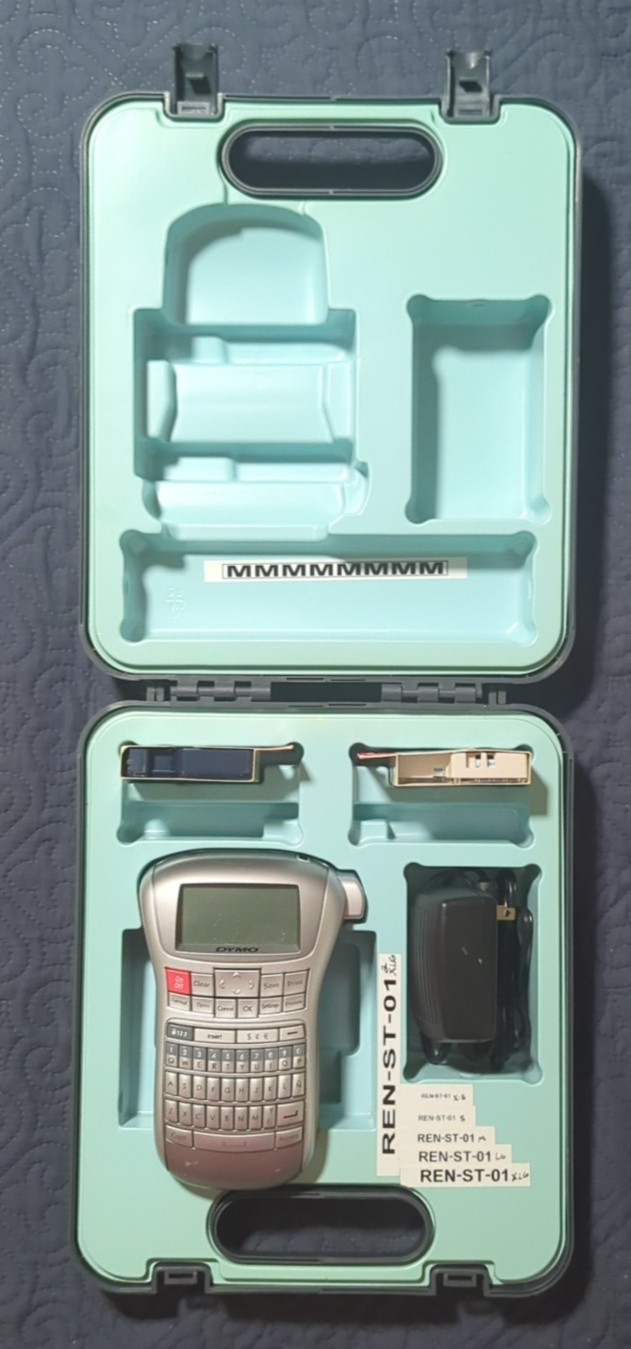
The Dymo Label Manager 220P is a used label maker that comes as a complete kit at $29.99. You get the label maker, a carrying case, a power adapter, and extra label tape, so there's no separate purchase needed. This is a label maker rather than a printer, so you type your text directly on the device and create labels on the spot. The silver/black/blue design looks at home in an office, and the unit is suited to office and business labeling tasks. The limitation is that it's not a printer, so it won't handle a big batch of labels from a spreadsheet. It's best for quick, one-at-a-time labeling where portability and simplicity matter more than computer integration.
Final Choice by Use Case
If you're setting up a shipping or mailing station and need to print labels from a computer, the Dymo LabelWriter 4XL earns its higher price with USB connectivity, thermal printing, and included power supply and labels. If you want a lower-priced label maker for occasional labeling, with included accessories, the Dymo Label Manager 220P is the more sensible buy.
