Choosing from label makers supplies can be a matchup of two very different tools. On one side is the D210S Label Maker, a label maker that creates laminated labels; on the other is the Embossing Label Maker Machine, a manual embosser that raises letters into tape. They are both listed as new, but they are built around different workflows. The choice comes down to whether you want customization features or a hands-on, retro labeling process.
Quick verdict
If you want a feature-rich label maker with lots of design choices, the D210S Label Maker is the practical pick. If you want a hands-on embosser for craft projects, the Manual Embossing Label Maker is the simpler choice.
Comparison at a glance
| Attribute | D210S Label Maker | Manual Embossing Label Maker |
|---|---|---|
| Listed price | USD 59.99 | USD 24.03 |
| Power | USB-connected | Manual operation |
| Label tape | Laminated waterproof 12mm labels | 9mm embossed tape |
| Printing | Continuous and dual-line printing | Print only with dial and handle |
| Customization | One-touch editing with icons, borders, fonts | A-Z, 0-9, and symbols |
Where the D210S Label Maker wins
- The laminated, waterproof 12mm label format is useful for organizing in more demanding environments.
- Continuous and dual-line printing make it easier to produce longer tags and multi-line labels.
- The built-in cutter helps keep batch-label work neat.
Where the Manual Embossing Label Maker wins
- The embossed texture gives labels a dimensional look that suits craft projects.
- The push-button handle and dial keep the process completely hands-on.
Product notes
Label Maker Machine - Waterproof 12mm Labels, Easy-to-Use, Portable & Versatile
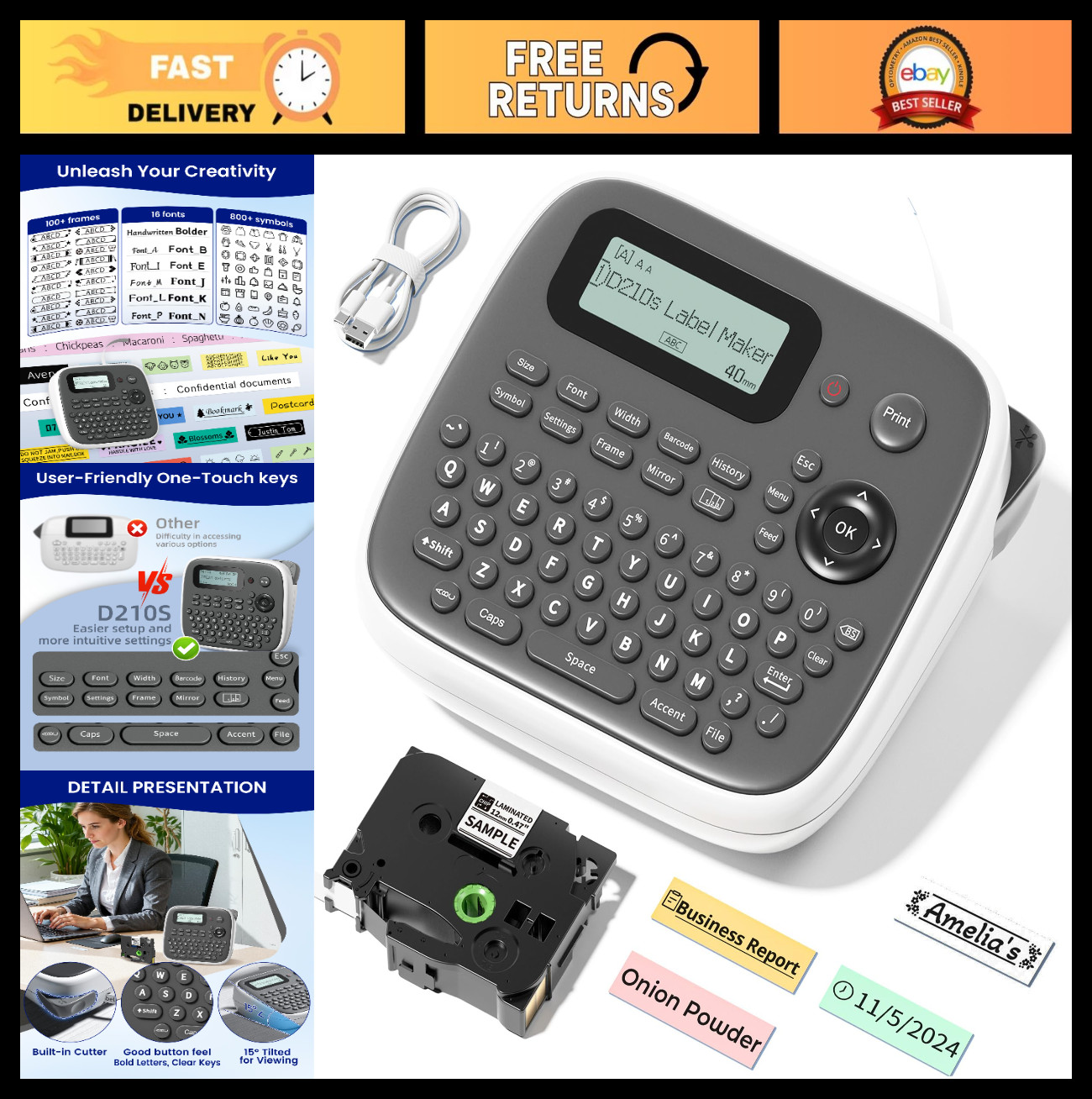
The D210S Label Maker is the choice when you want a powered, customizable labeling tool. One-touch editing gives you access to 800+ icons, 100+ borders, and 16 fonts, which is a lot of room for organization and craft projects. The monochrome output means each label is a single color, which is often enough for everyday use. The tradeoff is the powered workflow: because this is a powered label maker rather than a no-power embosser, it leans on a cable and power setup. If your main goal is a no-power embosser, the manual model is the one to consider.
Embossing Label Maker Machine with Tapes, Manual Embossed Label Maker Retro
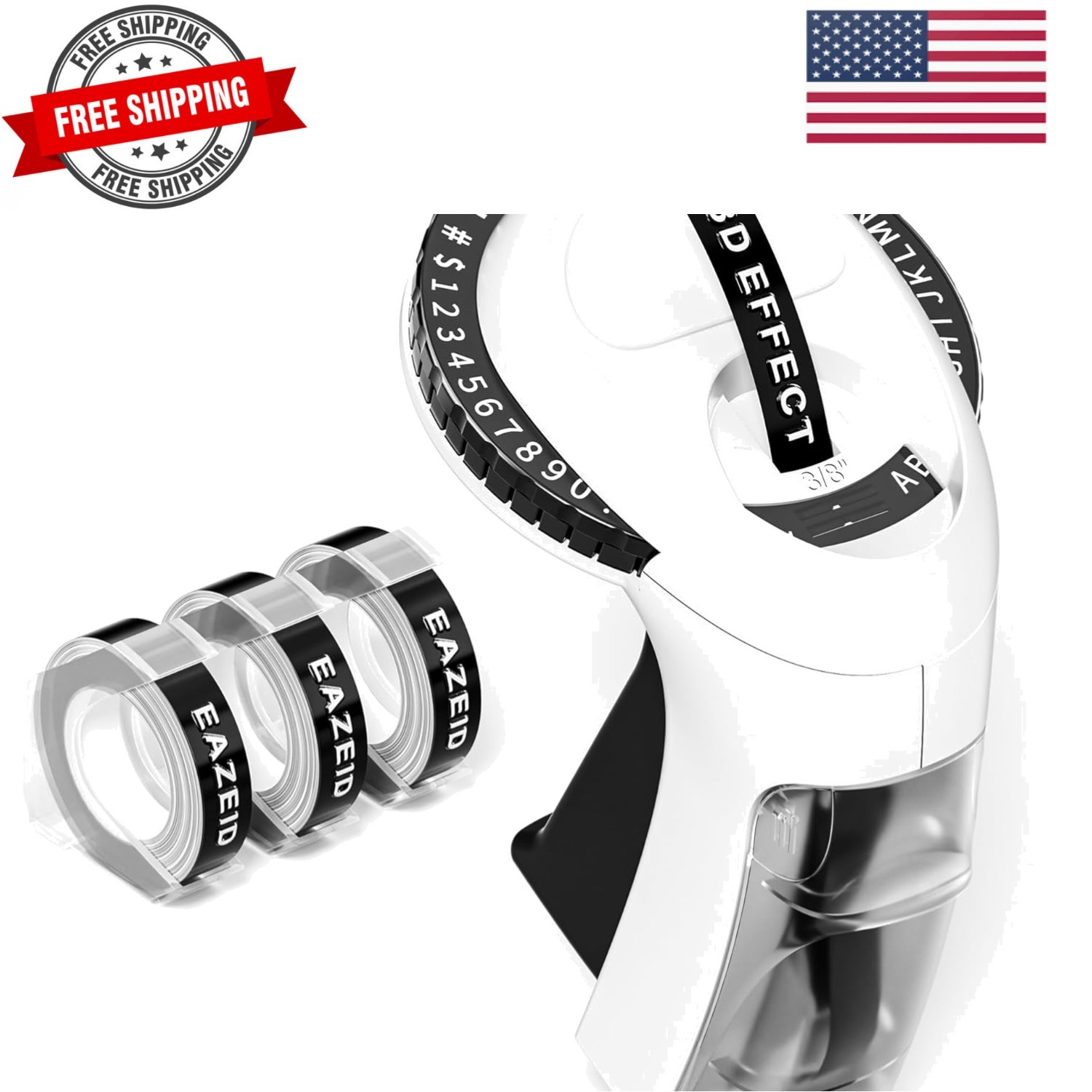
The Manual Embossing Label Maker is the pick when you want a vintage raised-letter look with no batteries, ink, or electricity. The starter kit includes 48 characters covering A-Z, 0-9, and a set of symbols, and you create labels by turning the dial and pressing the handle. That hands-on process is a natural fit for scrapbooking, kids' DIY crafts, and home office organization. The tradeoff is the print-only, manual workflow: every character takes a press of the handle, so lengthy or high-volume labeling will be slower than a powered machine.
Final choice by use case
- Choose the D210S Label Maker (USD 59.99) when you want a USB-connected label maker with a built-in cutter for everyday projects.
- Choose the Manual Embossing Label Maker (USD 24.03) when you want a battery-free vintage embosser for crafts and scrapbooking.
