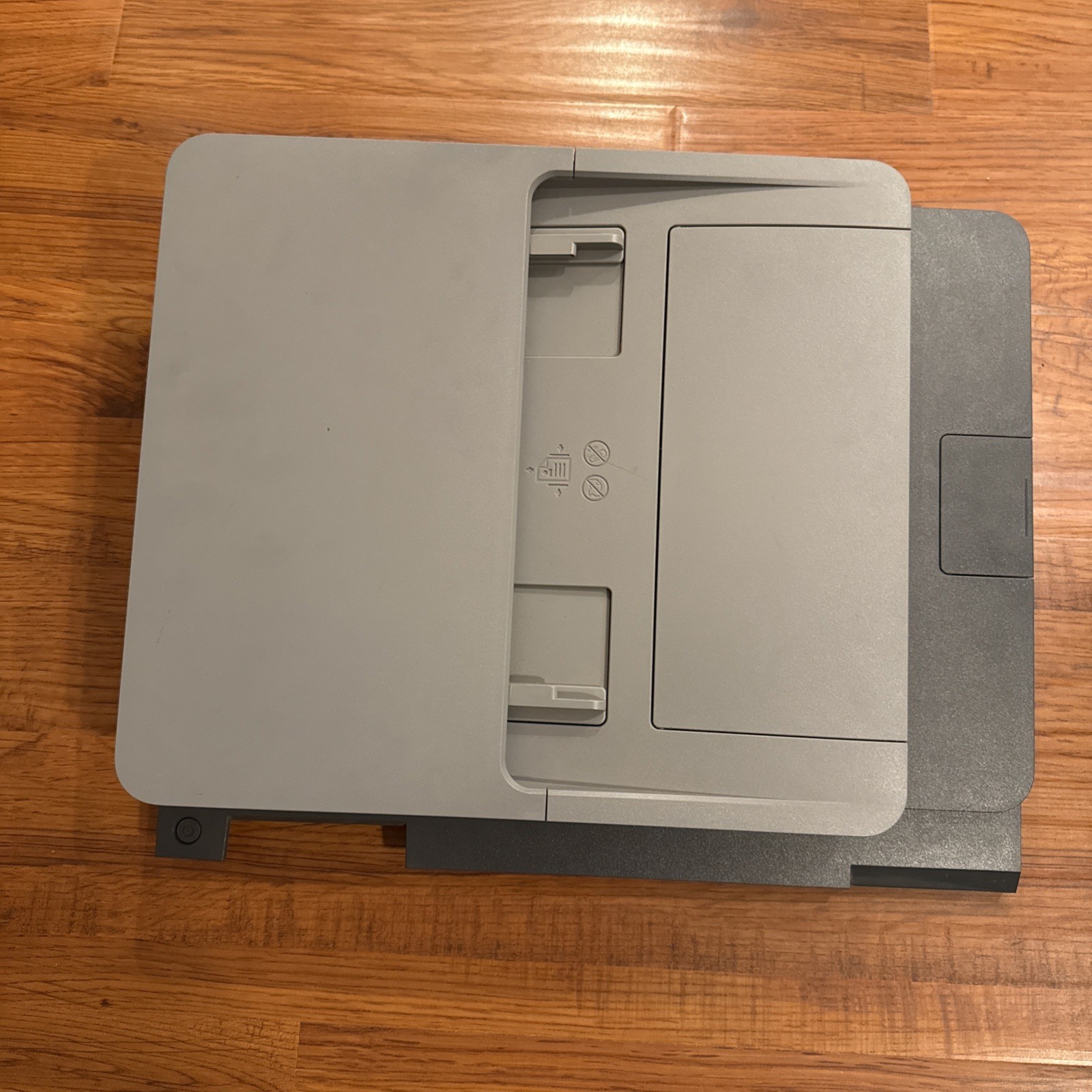
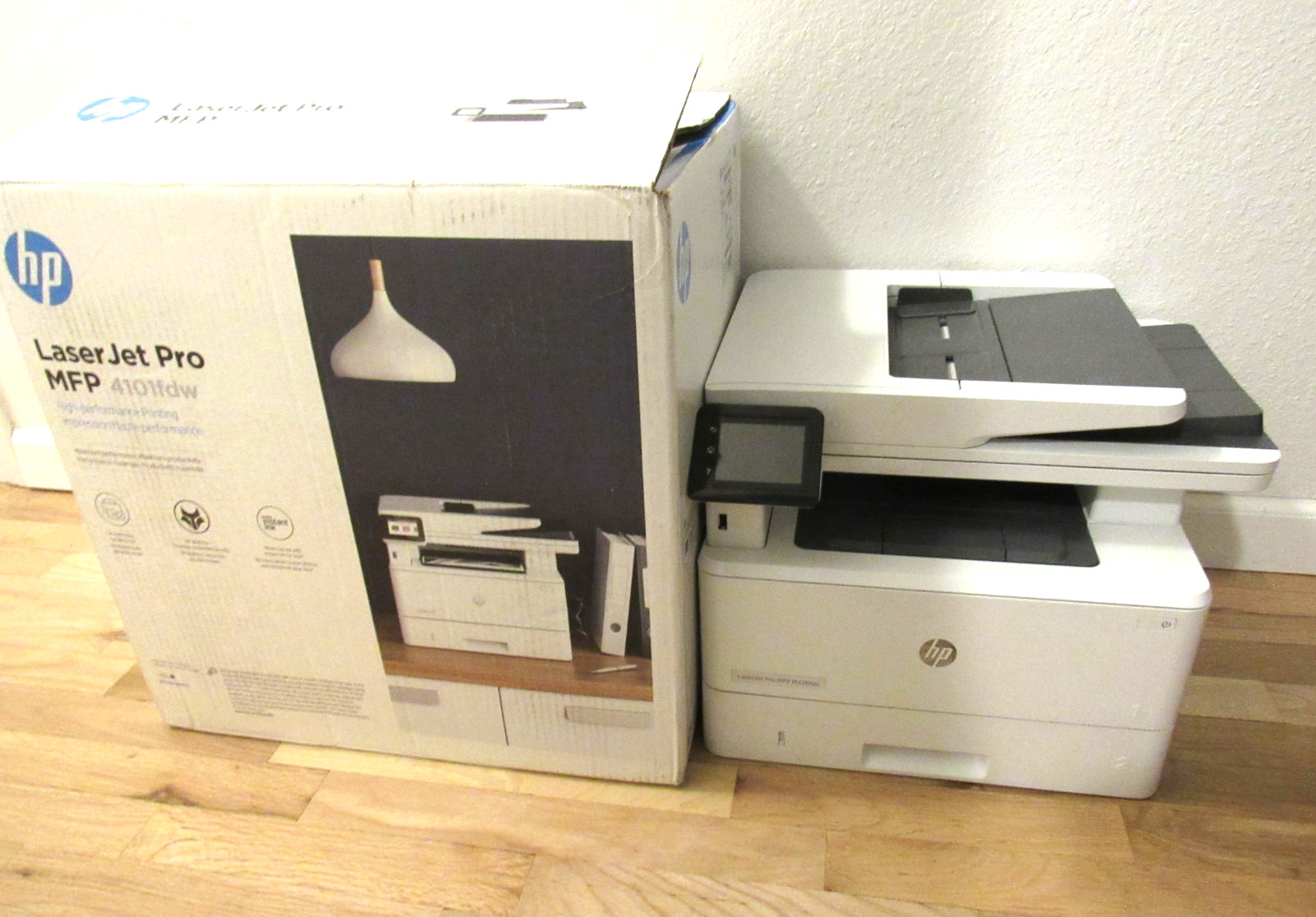
In the printers and scanners space, the decision is not always between two printers. Sometimes it is between a replacement scanner/photocopier top and a full all-in-one machine. That's the choice here: the used HP OfficeJet Pro 9025e Scanner And Photocopier Top versus the used HP LaserJet Pro MFP 4101fdw All-in-One Printer Copier Scanner and Fax. One is a spare part for a printer you may already own; the other is a complete device that prints, copies, scans, and faxes. The right pick depends mainly on whether you already have the OfficeJet Pro 9025e base unit.
Quick Verdict
If you already have an HP OfficeJet Pro 9025e and only the scanner/photocopier top needs replacing, the $29.99 replacement top is the sensible fix. If you need a printer too, or want one hub for printing, copying, scanning, and faxing, the $280 LaserJet Pro MFP 4101fdw is the complete solution. It brings laser printing, duplex output, and all-in-one convenience to the desk.
At a Glance
| Feature | OfficeJet Pro 9025e Scanner Top | LaserJet Pro MFP 4101fdw |
|---|---|---|
| Price | $29.99 | $280.00 |
| Device type | Scanner/photocopier top | All-in-one printer, copier, scanner, fax |
| Printing | Not a printer | Black-and-white laser, 42 ppm |
| Connectivity | Wireless | Ethernet (RJ-45), USB 2.0 |
| Color depth | 24-bit | 24-bit |
| Condition | Used | Used |
Where Each Product Wins
Choose the OfficeJet Pro 9025e Scanner Top when your existing OfficeJet Pro 9025e is otherwise healthy and you just need the scan and copy input working again. It wins on price and on keeping your current machine alive.
Choose the LaserJet Pro MFP 4101fdw when you need a printer, copier, scanner, and fax in one device. It wins on printing speed and all-in-one versatility.
HP OfficeJet Pro 9025e Scanner And Photocopier Top
This tested OEM replacement top restores the scan and copy function on an HP OfficeJet Pro 9025e without making you replace the whole machine. It is a 24-bit color unit with a 1200 x 1200 DPI scanning resolution and a contact image sensor, so it is built for document work. The wireless connection keeps the setup flexible. Because it is only the top portion, it is the right purchase when the rest of your OfficeJet is still working. Its limitation is that it does not print, fax, or copy on its own-it depends on the host printer-and it is a used part, so the condition is part of the decision.
HP LaserJet Pro MFP 4101fdw All-in-One Printer Copier Scanner and Fax
The LaserJet Pro MFP 4101fdw is a complete office hub in one used machine: black-and-white laser printing at 42 ppm, plus copying, scanning, faxing, and duplex output. The unit comes in the original box with the printer and power cable, and the copy function has been tested to produce clean copies. Choose it when your priority is a single device that can handle everyday print jobs and occasional scan/copy/fax tasks. The limitation is the higher upfront cost and the fact that the package includes only the printer and power cable.
Final Choice by Use Case
For an OfficeJet Pro 9025e owner who still has a working printer and only needs the scan/copy top back in action, the HP OfficeJet Pro 9025e Scanner And Photocopier Top is the practical repair purchase.
For anyone who needs printing plus scanning and copying, the HP LaserJet Pro MFP 4101fdw is the complete solution. It costs more, but it adds the print engine and fax function that the replacement top cannot provide.