Choosing between two wireless office printers is not just a question of the lower listed price. The practical split is job needs and physical placement. Both HP OfficeJet Pro titles indicate wireless printing, and each lists Ethernet plus Hi-Speed USB 2.0 device and host connections. The decision becomes clearer once you separate those shared connection options from the different task details.
Quick verdict
At USD 109.99, the HP OfficeJet Pro 8135e is the higher-priced choice and is identified as new in box, never opened. The HP OfficeJet Pro 9110b is USD 49.95, a used printer described as cosmetically very good with a cracked but perfectly usable touch screen. The listed-price spread is USD 60.04.
Choose the 8135e when new condition is central to the decision. Favor the 9110b when its lower listed price matters more and the touchscreen description fits your needs.
Compact comparison
| Buying point | HP OfficeJet Pro 8135e | HP OfficeJet Pro 9110b |
|---|---|---|
| Listed price | USD 109.99 | USD 49.95 |
| Wireless wording | Yes | Yes |
| Listed connections | Ethernet; Hi-Speed USB 2.0 device and host | Ethernet; Hi-Speed USB 2.0 device and host |
| Listed task details | Input Type: Print, copy, scan, fax | Input Type: Print; Duplex; black print speed: 22 ppm |
Where each printer wins
The HP OfficeJet Pro 8135e stands out for shoppers who specifically want a new, never-opened unit. Its description also names 512 MB DDR3 SDRAM, a concrete specification for someone comparing office-printer setups beyond basic connectivity.
The HP OfficeJet Pro 9110b has a different appeal: its title expressly includes "with Ink" and "Color." Those details suit a shopper focused on a color printer with ink identified in the product name.
Product notes
HP OfficeJet Pro 8135e
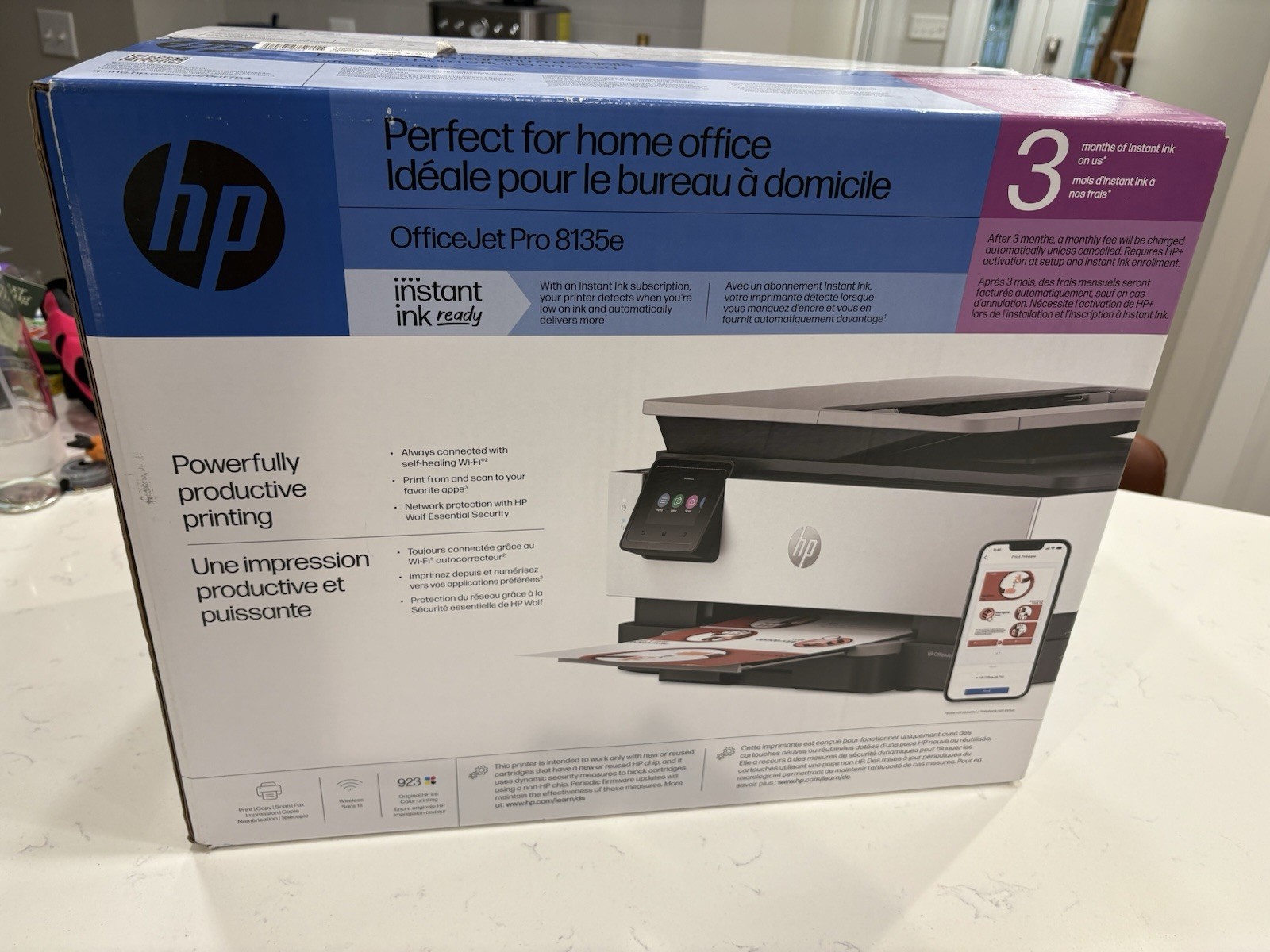
The HP OfficeJet Pro 8135e fits a workspace that needs one machine for the listed print, copy, scan, and fax tasks. It also carries 512 MB DDR3 SDRAM in its description, which distinguishes its stated setup from a basic print-focused choice. The practical limitation is physical: its listed dimensions are 18.12 inches long, 13.29 inches wide, and 9.17 inches high, so the work surface needs to accommodate that footprint. Choose this model when handling documents, copies, scans, and faxes in the same workflow is more important than focusing solely on duplex printing.
HP OfficeJet Pro 9110b
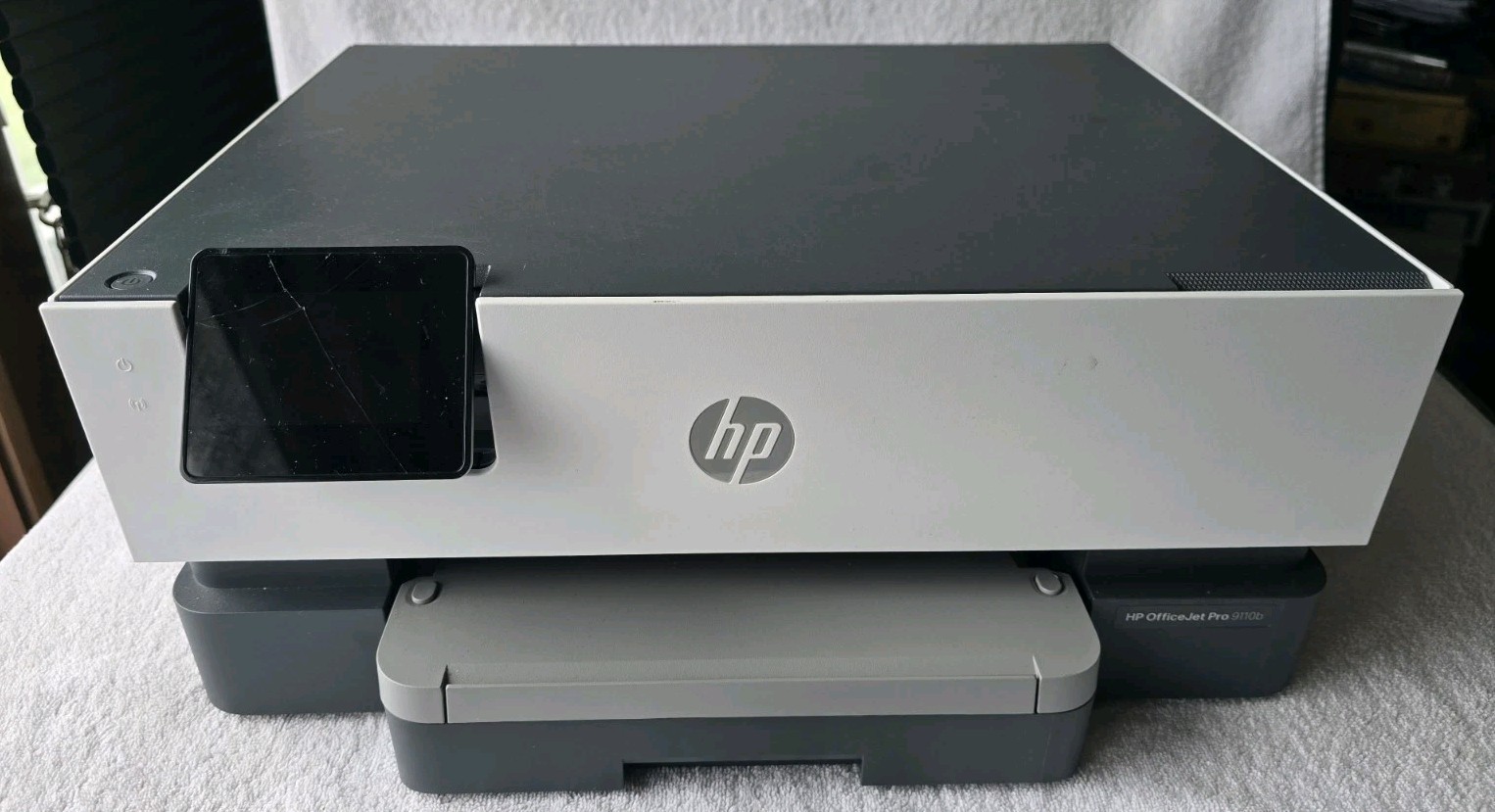
The HP OfficeJet Pro 9110b is geared toward a printer-first setup. Its listed black print speed is 22 ppm, and the title includes "with Ink," giving shoppers two specific reasons to consider it. The main limitation is equally clear: it is used and has a cracked touch screen, though the description calls that screen perfectly usable. The description also says it currently prints properly, while the listed Input Type is Print. Pick this model when those printer-centered details suit the task and the described touchscreen condition is acceptable.
Final choice by use case
Choose the HP OfficeJet Pro 8135e if its 18.12-by-13.29-by-9.17-inch dimensions fit your work area and you want its listed multi-function task coverage. Choose the HP OfficeJet Pro 9110b when duplex printing is the deciding requirement and its printer-focused configuration is the better match.
