If your desk needs an all-in-one printer, the hardest part isn't finding one - it's deciding what you need it to do. Both of these machines handle print, copy, and scan, but they point in very different directions. The HP LaserJet Pro MFP 4101fdw is a laser workhorse aimed at high-volume text documents. The Canon PIXMA MX922 is an inkjet focused on color-rich output and detailed scans. So your choice comes down to a simple question: are you printing memos or photographs?
Quick verdict
Choose the HP LaserJet Pro MFP 4101fdw if you want a no-nonsense document printer that works well in a fixed office setup. It's faster for text and costs $70 less. If you print mostly black text, the speed difference alone can save you noticeable time. Choose the Canon PIXMA MX922 if visual detail matters more to you than speed - its color output and scanning depth are the strongest reasons to spend the extra money.
At a glance
| Feature | HP LaserJet Pro MFP 4101fdw | Canon PIXMA MX922 |
| Price | USD 280.00 | USD 350.00 |
| Color depth | 24-bit | 48-bit |
| Grayscale depth | 24-bit | 16-bit |
| Connectivity | Ethernet (RJ-45), USB 2.0 | Wireless |
| Condition | Used | Open box |
| Country of origin | China | Japan |
Where each product wins
- The HP wins for straightforward office workflow. It's the better tool when you want to print, copy, scan, and fax from a traditional wired desk.
- The Canon wins for creative work. Photographs, artwork, and anything that depends on subtle color shifts will look more dimensional here, and the wireless design makes it easier to place out of the way.
Product notes
HP LaserJet Pro MFP 4101fdw
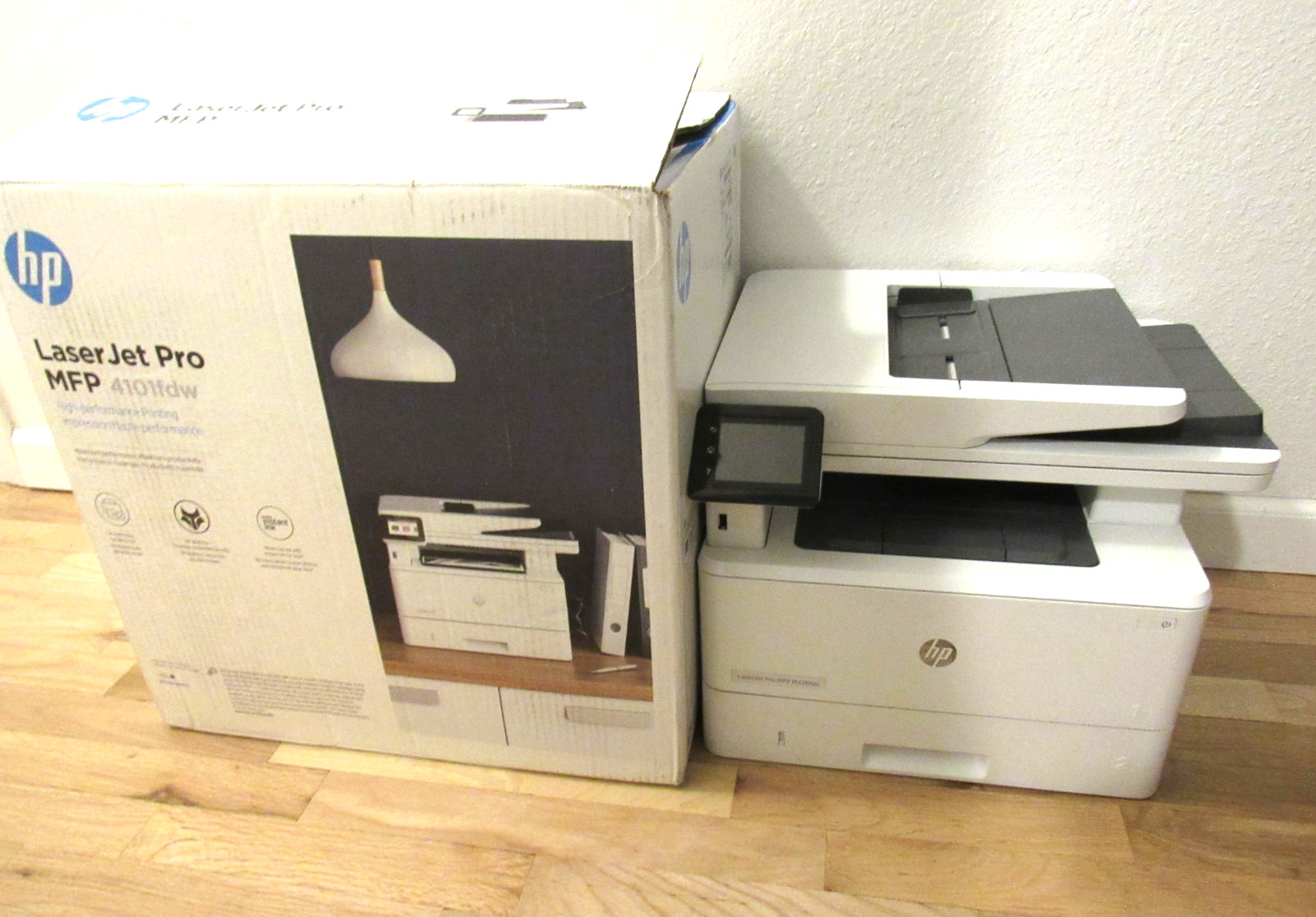
The HP LaserJet Pro MFP 4101fdw is the pragmatic centerpiece for a document-heavy workspace. It prints black pages at up to 42 ppm, which makes long reports feel quick, and it includes duplex printing so you don't have to flip pages. Fax support is built in, and the Ethernet (RJ-45) and USB 2.0 connections keep it solidly attached to your desk. The trade-off is obvious the moment you print a colorful image: the 24-bit color depth won't replace a photo printer. It's also a used unit, shipped in the original box with just the printer and power cable. If your work is predominantly grayscale, this is the practical choice that gets out of your way. A 42 ppm pace also keeps the printer from becoming the bottleneck in a busy day.
Canon PIXMA MX922 Wireless All-In-One Inkjet Printer - NEVER USED
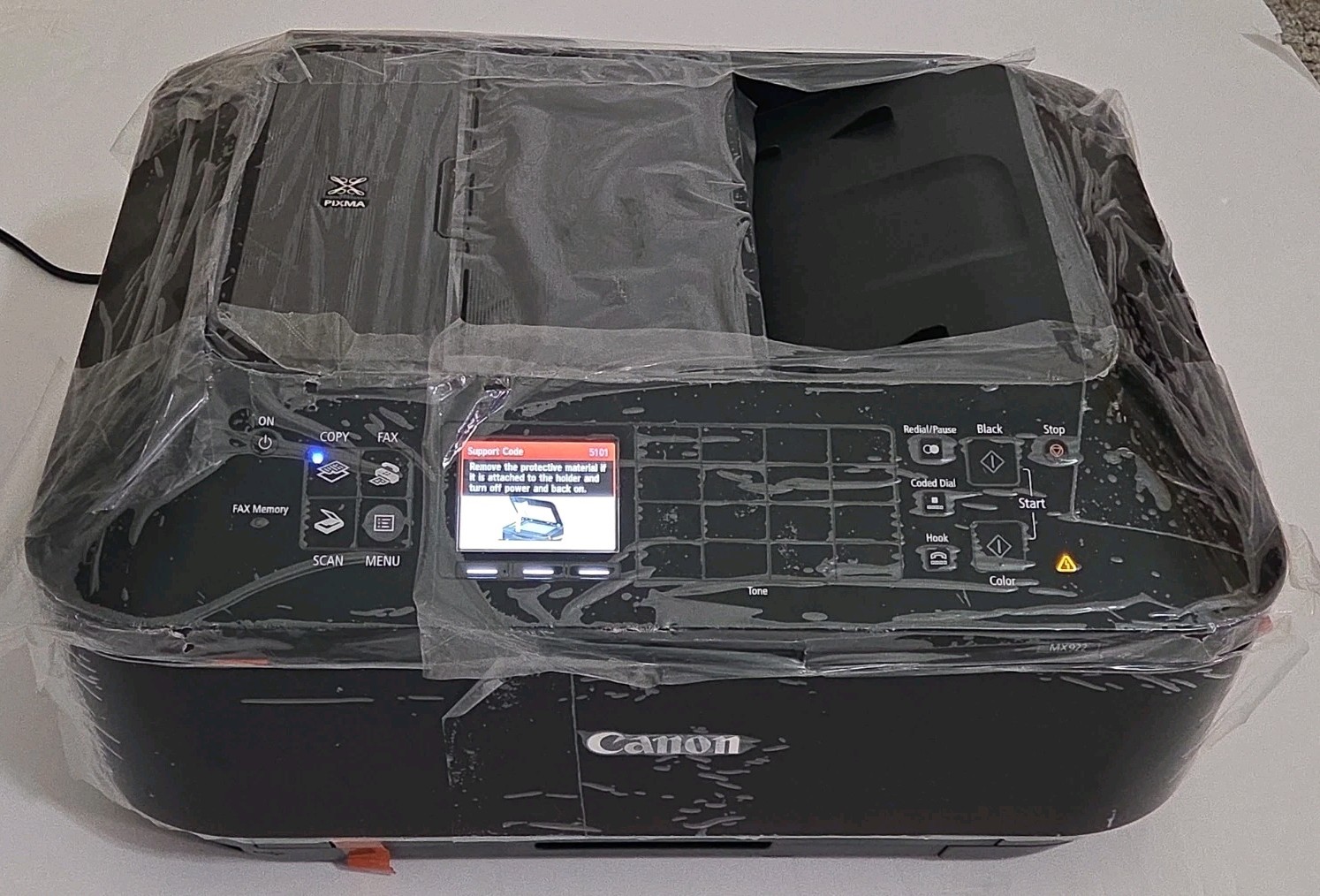
The Canon PIXMA MX922 is the color-first pick in this comparison. Its 48-bit color depth and 16-bit grayscale depth give it a wider tonal range, and the scanner resolves up to 2400x4800 DPI, which matters for archiving family photos or scanning line art. The scanner's optical resolution is something you'll feel immediately if you archive slides or old letters. Wireless connectivity means you can keep it on a shelf and print without running cables. This is an open-box unit that has never been used, and it comes with a 1-year manufacturer warranty. The biggest limitation is the lack of a stated black print speed - if you need a fast text machine, the HP has the stronger story. But for vivid output and detailed scans, the Canon is the more capable all-in-one.
Final choice by use case
Pick the HP LaserJet Pro MFP 4101fdw for a document-heavy routine. Pick the Canon PIXMA MX922 for photo-heavy, scan-heavy projects.
