When you're working through POS retail supplies, the thermal printer is the piece that keeps the checkout line moving. Two used Epson models often come up: the TM-T88V M244A receipt printer and the TM-L90 M313A label/receipt printer. Both are thermal units with USB connectivity and Windows machine compatibility, but they serve slightly different counter workflows. The key question is whether your staff needs to print only receipts or also handle labels from the same printer.
Quick Verdict
If your checkout station is dedicated to receipts, the Epson TM-T88V is the straightforward choice. If you need a single unit that can print labels and receipts, the Epson TM-L90 is the more flexible option. The TM-T88V offers a JamFree auto-cutter for receipt jobs; the TM-L90 extends the same thermal printing to labels.
Comparison at a Glance
| Product | Listed Price | Price Bar | Print Focus | Connectivity |
|---|---|---|---|---|
| Epson TM-T88V M244A | USD 39.99 | Thermal receipt | USB | |
| Epson TM-L90 M313A | USD 74.99 | Thermal label/receipt | USB |
Where Each Product Wins
- Epson TM-T88V M244A: The receipt-specific standout. It includes an AC adapter and USB printer cable, and its JamFree auto-cutter handles receipt separation. The visible scratches on the case are the main cosmetic trade-off.
- Epson TM-L90 M313A: The label-capable option. It handles both label and receipt printing, which can reduce the number of devices on a busy counter. The paper roll is not included, so you'll need to add that to your supplies.
Product Notes
Epson TM-T88V M244A USB/Serial Thermal POS Receipt Printer
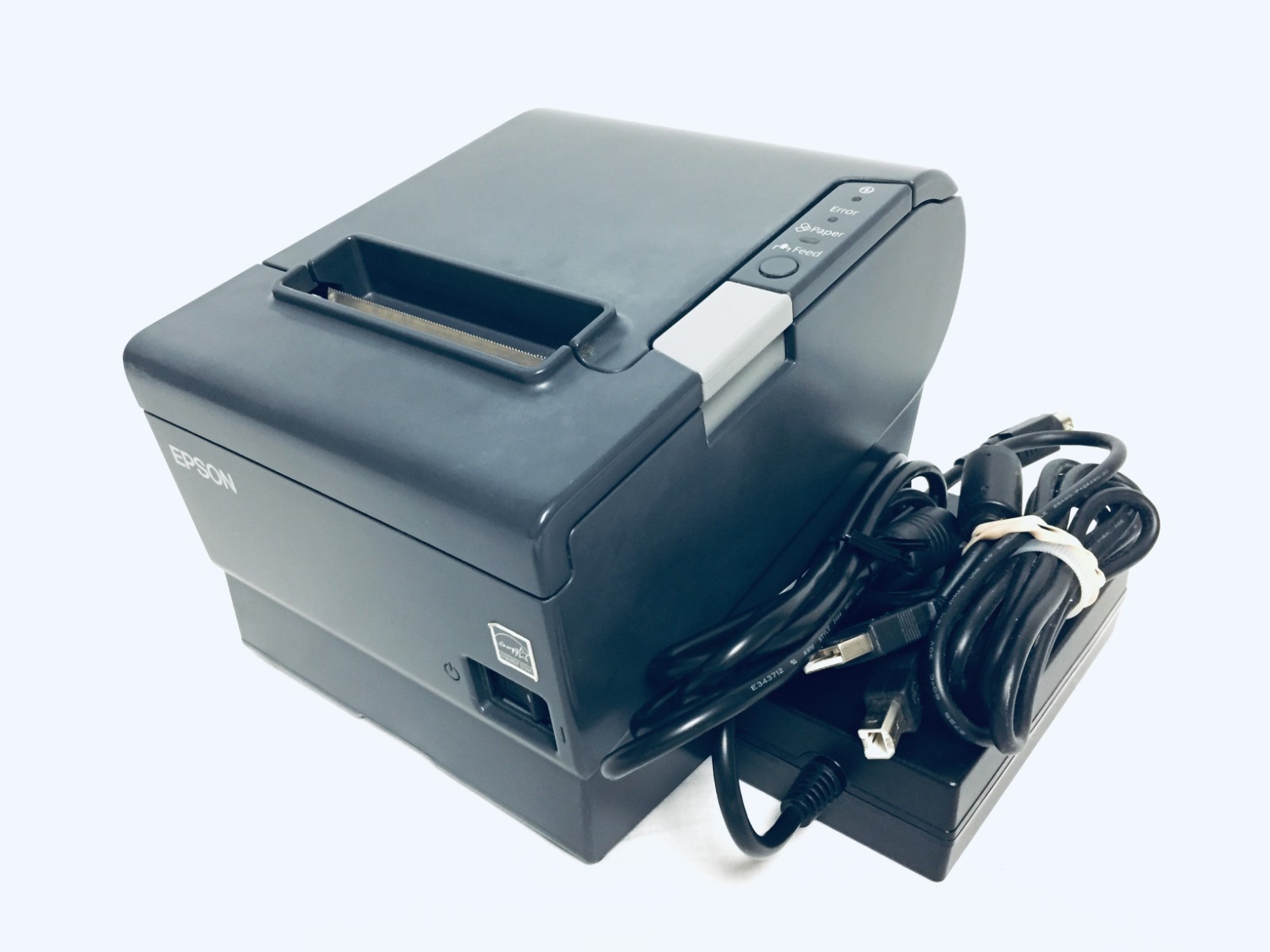
This unit was retired from a working retail store, and the product photos show a case with several scratches. It prints receipts via a thermal printer mechanism, connects through USB, and includes a JamFree auto-cutter, which helps keep receipt jobs moving at the register. The AC adapter and USB printer cable come with the printer, saving you from hunting down those extras before you can put it to work. The scratch marks mean it is not display-room clean, but the focus is on getting receipts printed. If your checkout station mainly needs receipt output, this model covers the essentials without adding label capability you may not use.
Epson TM-L90 M313A USB Serial Thermal POS Label Receipt Printer
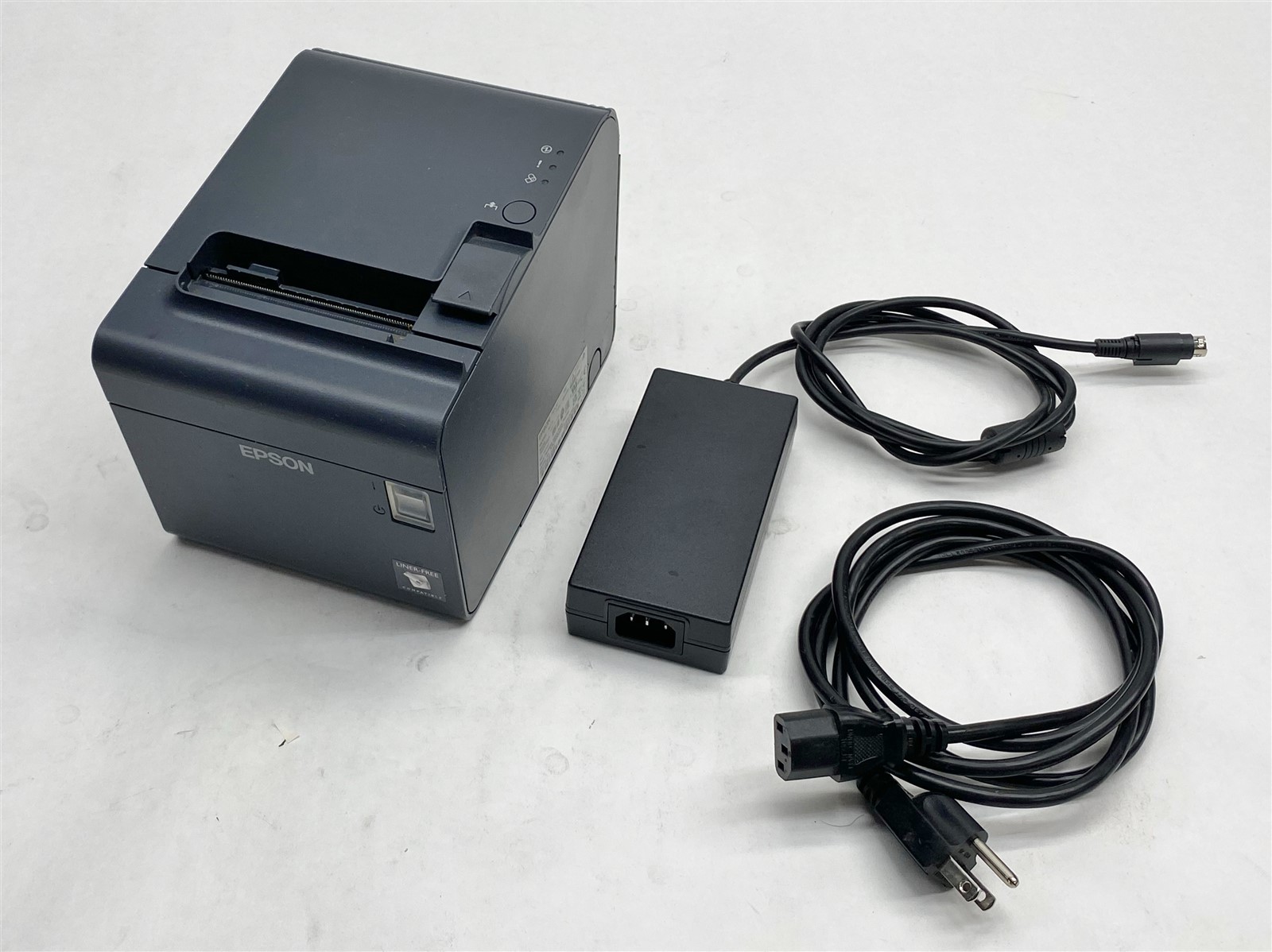
Sold by merchant n7t-_dUWS5W, this unit handles both labels and receipts in one printer. For a retail counter that prints barcode labels, price tags, or shelf labels alongside receipts, that flexibility can save counter space and reduce device switching. It connects via USB and is listed as Windows-compatible, so it fits into many standard retail POS setups. The paper roll is not included with this unit, so you will need to have the appropriate thermal paper on hand. Choose it when your daily workflow includes label printing as well as standard receipts, and when the extra label capability is useful to your operation.
Final Choice by Use Case
For a dedicated receipt printer, the Epson TM-T88V M244A at USD 39.99 is the practical pick. For a combined label and receipt printer, the Epson TM-L90 M313A at USD 74.99 gives you the broader print capability. The listed price spread is USD 35.00, so the TM-L90's label function is the main reason to choose it. Your daily counter workflow should decide the winner.
