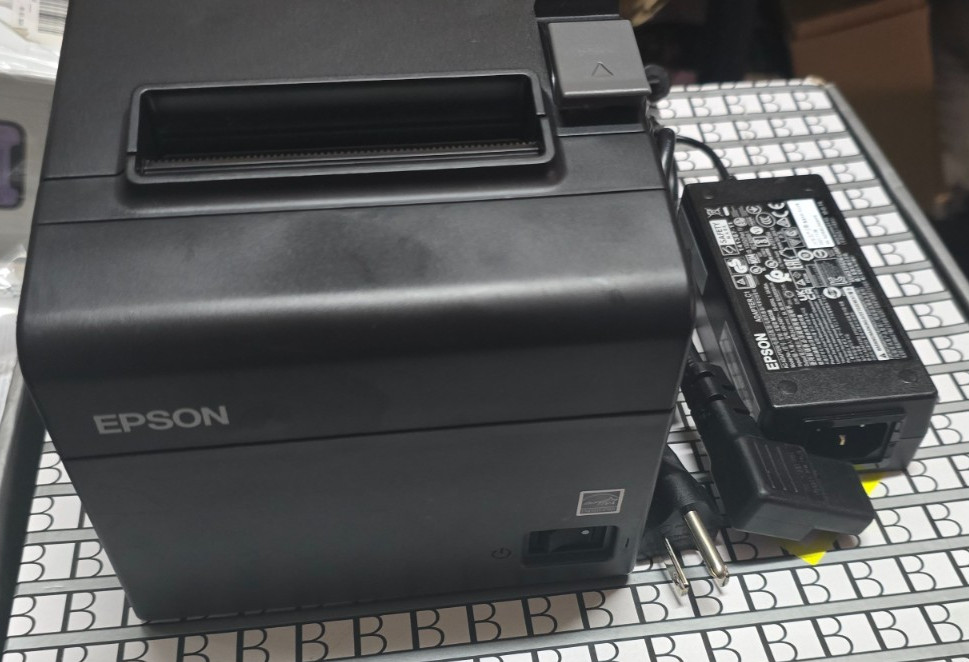
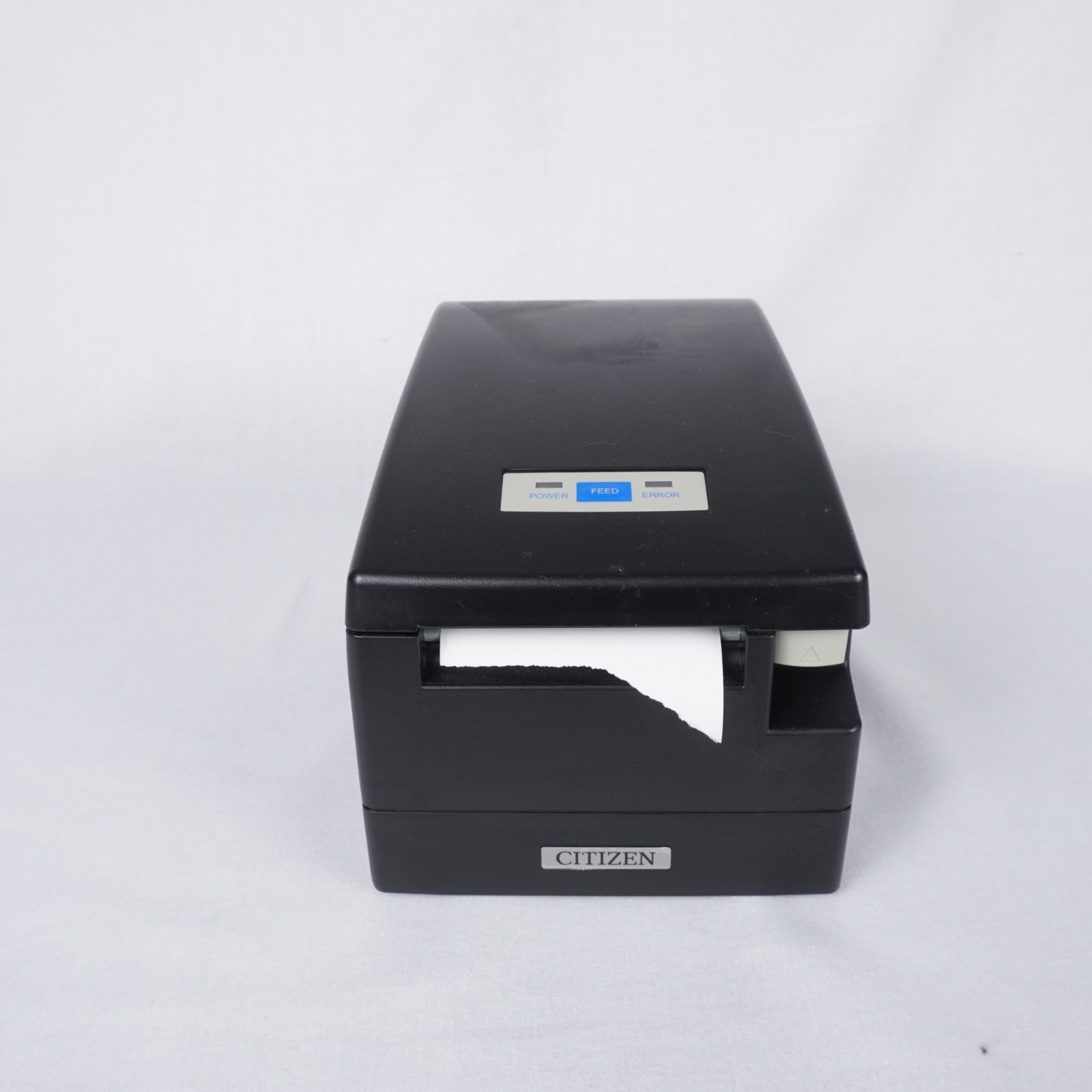
Choosing between two used POS receipt printers for your retail counter comes down to how you check out. The Epson TM-T20III and Citizen CT-S2000 are both USB thermal printers, but they differ in price, included accessories, and compatibility. The right choice depends on whether your checkout needs a printer with known compatibility and how much you care about a small physical quirk on the cheaper model.
Quick verdict
If your checkout runs on Square, the Epson TM-T20III is the safer pick. Its compatibility with Square Stand and Square Register is called out directly, which removes a big unknown. If you don't need that, the Citizen CT-S2000 is the more affordable choice and the better value for a typical retail checkout. It costs less and comes with extras that the Epson doesn't include.
Price and feature comparison
| Feature | Epson TM-T20III | Citizen CT-S2000 |
|---|---|---|
| Price | $69.99 | $59.99 |
| Brand | Epson | Citizen |
| Connectivity | USB | USB |
| Auto-cutter | JamFree | JamFree |
| Condition | Used | Used |
| Country of Origin | China | Japan |
| What's included | Printer + power supply, no USB cable | Printer + power supply + paper roll |
Both are thermal units, so they use heated printheads on heat-activated paper. That means no ribbon or toner to replace. The JamFree auto-cutter appears on both models, so receipt tearing is handled mechanically. The main reasons to choose one over the other are compatibility, price, and what's in the box.
Where each product wins
- The Epson wins for checkout setups where printer compatibility matters most.
- The Citizen wins on price and included extras. It costs $10 less, so you can put the difference toward a cable or supplies.
Epson TM-T20III
Try this when your POS setup revolves around Square. The Epson TM-T20III is compatible with Square Stand and Square Register, so you don't have to wonder whether it will connect to your checkout. Thermal printing handles daily receipts without fuss. The main downside is that it comes with just the printer and the OEM Epson C1 power supply. There is no USB cable, so you'll need to have one ready before you can hook it up. This is the more expensive unit in this pairing, and it's a used printer. If Square compatibility is what you need, this removes the guesswork. Just be ready to add a cable to your order.
Citizen CT-S2000
The Citizen CT-S2000 is the lower-priced choice, and it arrives ready to print with a roll of paper included. That means you don't need to buy a roll right away. It also uses the same JamFree auto-cutter found on the Epson, so receipt tearing stays simple. The catch is physical: this particular printer is missing the middle roll-holder piece. It still prints fine without that piece; the part mainly keeps the roll steady during transport. If that doesn't bother you, the savings are straightforward. This unit was made in Japan, which may be a consideration. It's suited to a typical retail POS environment, and because it includes the power supply and paper, you can get a new counter running with fewer extra purchases.
Final choice by use case
Choose the Epson TM-T20III if you need that checkout compatibility, even at the higher price and with the extra cable purchase. Choose the Citizen CT-S2000 if you want a simpler receipt printer for less money and you're comfortable with the missing roll-holder piece. For most standard retail counters, the Citizen is the better value.
Think about the next few months. If you want a printer that's ready for a specific checkout system, the Epson is the safer buy. If you're setting up a till from scratch and want to keep upfront costs down, the Citizen is the sensible pick.