Two all-in-one black-and-white laser printers, the Brother MFCL2740DW and the Canon imageCLASS MF273dw, are both aimed at printers scanners buyers who want print, scan, and copy in a single machine. The Canon is brand new and priced at $90.20, while the Brother is a used unit at $129.95. With a $39.75 gap, you're weighing a new printer at a lower price against a pre-owned, feature-packed model. Both machines are monochrome lasers, so your choice comes down to speed, connection options, and whether you need fax.
Quick verdict
If you need a fuller office feature set in a used machine, the Brother MFCL2740DW is the stronger pick. If you prefer a new printer with a warranty and a simpler setup, the Canon imageCLASS MF273dw is the sensible choice.
At a glance
| Spec | Brother MFCL2740DW | Canon imageCLASS MF273dw |
|---|---|---|
| Price | $129.95 | $90.20 |
| Condition | Used | New |
| Print speed | 32 ppm | 30 ppm |
| Color depth | 30-bit | 24-bit |
| Print resolution | 600 x 600 dpi | 2400 x 600 dpi |
Both use a Contact Image Sensor (CIS) for scanning.
Where each printer wins
- The Brother MFCL2740DW is the stronger pick when you need a more complete office feature set in a pre-owned machine.
- The Canon imageCLASS MF273dw is the newer, simpler pick if you want a fresh unit with basic print, scan, and copy.
Product notes
Brother MFCL2740DW Wireless Monochrome Printer with Scanner, Copier and Fax
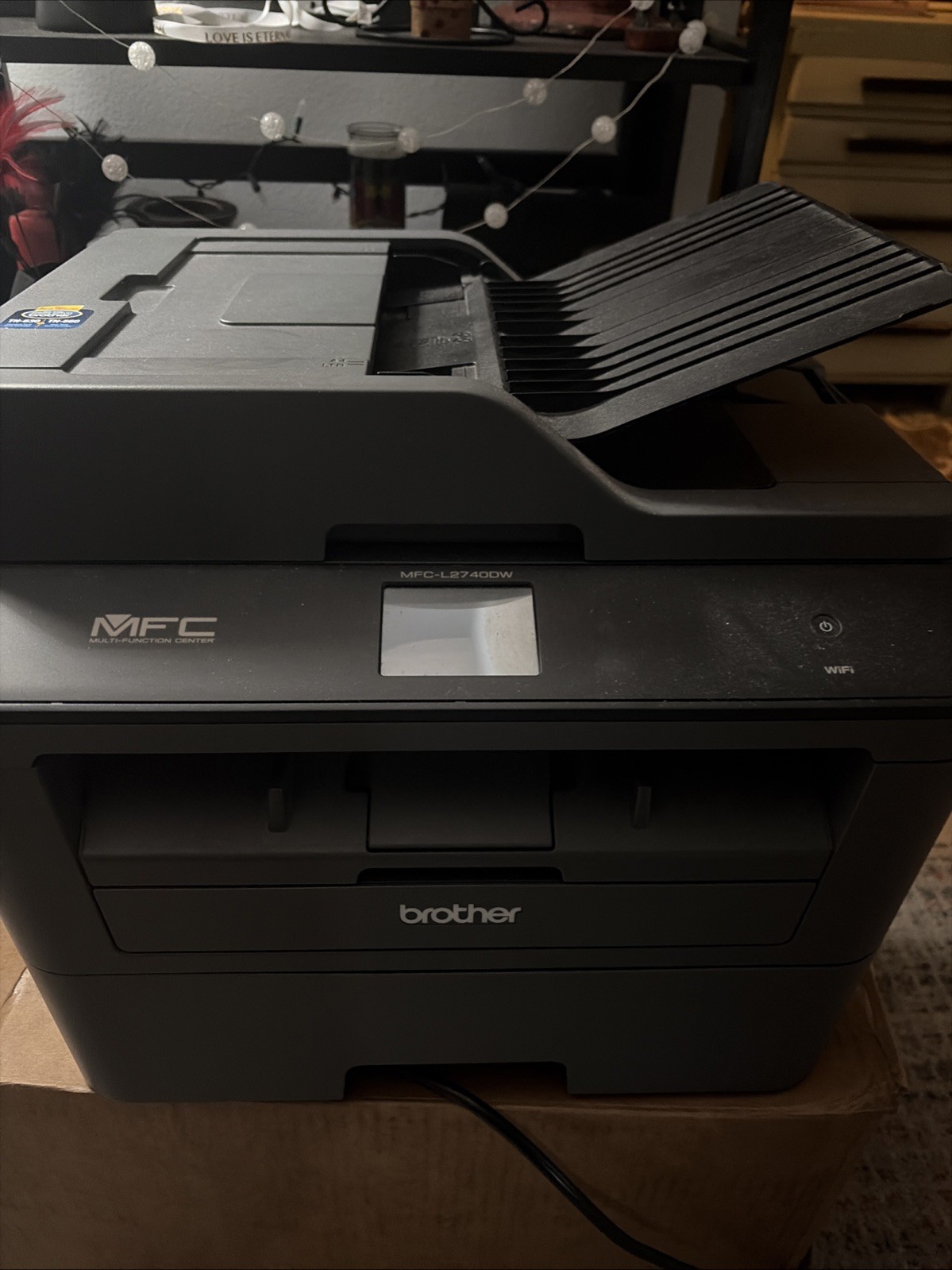
The Brother MFCL2740DW's strongest argument is the built-in fax machine, which lets you send documents without a separate fax modem or service. That saves desk space and simplifies an office that still depends on fax. The trade-off is condition: this unit is used, so it doesn't come with the same fresh-new guarantee you'd get from the Canon. The Brother also brings a 30-bit color depth, which is a step above the Canon's 24-bit scanning depth if you digitize photos. For someone who needs fax and is okay with a pre-owned device, the Brother becomes the more functional all-in-one.
Canon imageCLASS MF273dw Wireless Black-and-White All-In-One Laser Printer
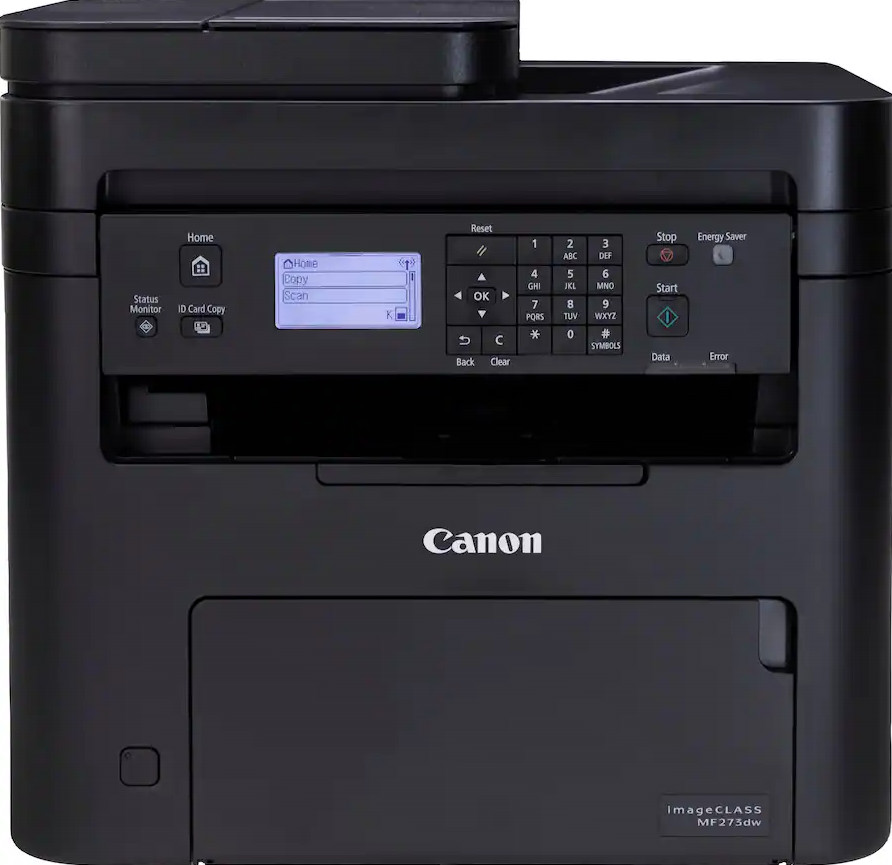
The Canon imageCLASS MF273dw's best attribute is its new condition and 1-year warranty, which is a real advantage over a used unit. The limitation is that it doesn't include a fax machine, and the only connectivity option is wireless. The Canon also prints at a 2400 x 600 dpi resolution, giving it an edge in crisp black-and-white text over the Brother's 600 x 600 dpi spec. If you don't need to send faxes and your workspace has strong Wi-Fi, the Canon is the simpler choice. It prints, scans, and copies without adding extras you won't use.
Final choice by use case
Choose the Brother MFCL2740DW if you want a used all-in-one with more office capabilities. Choose the Canon imageCLASS MF273dw if you want a new, warranty-backed all-in-one for daily print, scan, and copy tasks.
