Choosing between a desk-phone headset and a wireless earphone for business calls comes down to how you work. The Avaya Headset HD Voice is built for Avaya 1600, 9600, and J100 series desk phones. The 30Hrs Bone Conduction Wireless Headset is designed for mobility, with wireless audio that keeps your ears open. One is tied to a specific phone system; the other is built for phones you carry.
Quick Verdict
If your workday revolves around an Avaya desk phone, choose the Avaya Headset HD Voice. If you move around, drive, or take calls on a smartphone, the 30Hrs Bone Conduction Wireless Headset fits better.
At a Glance
| Product | Price | What stands out |
|---|---|---|
| Avaya Headset HD Voice | USD 94.68 | HIS adapter for Avaya 1600/9600/J100 series |
| 30Hrs Bone Conduction Wireless Headset | USD 15.88 | 30-hour battery, USB-C charging |
Where Each Product Wins
- Avaya: HD voice, a noise-cancelling mic, and an adjustable headband make it a strong desk-phone companion.
- 30Hrs: Bluetooth 5.3, AAC/SBC decoding, 360-degree spatial sound, 180-degree rotation, and a black finish make it a flexible wireless companion.
Product Notes
Avaya Headset HD Voice
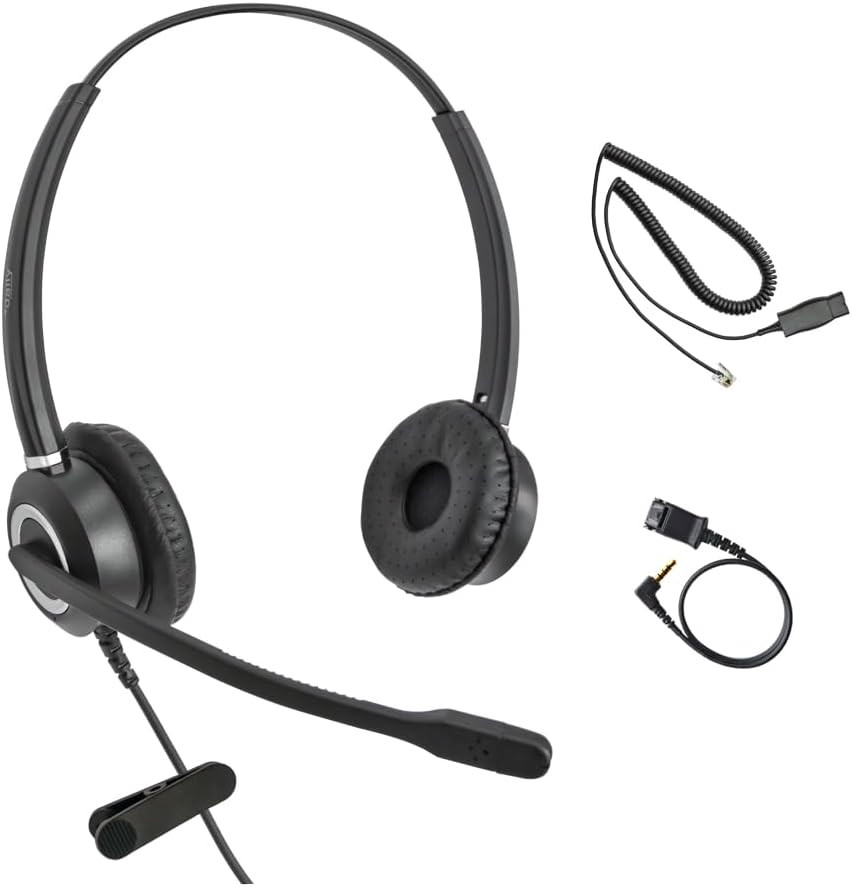
The Avaya Headset HD Voice is the right purchase when you sit at an Avaya desk phone all day. Its HIS adapter connects to Avaya 1600, 9600, and J100 series handsets, and the noise-cancelling mic helps callers hear you clearly. The adjustable headband and detachable, retractable cable make it easy to find a comfortable position. The leather, plastic, and stainless-steel enclosure gives it a sturdy feel for regular use. This is the more expensive option, and it is built around Avaya desk phones, so it is not aimed at smartphone-only users. For a dedicated Avaya setup, it covers the key needs.
30Hrs Bone Conduction Wireless Headset
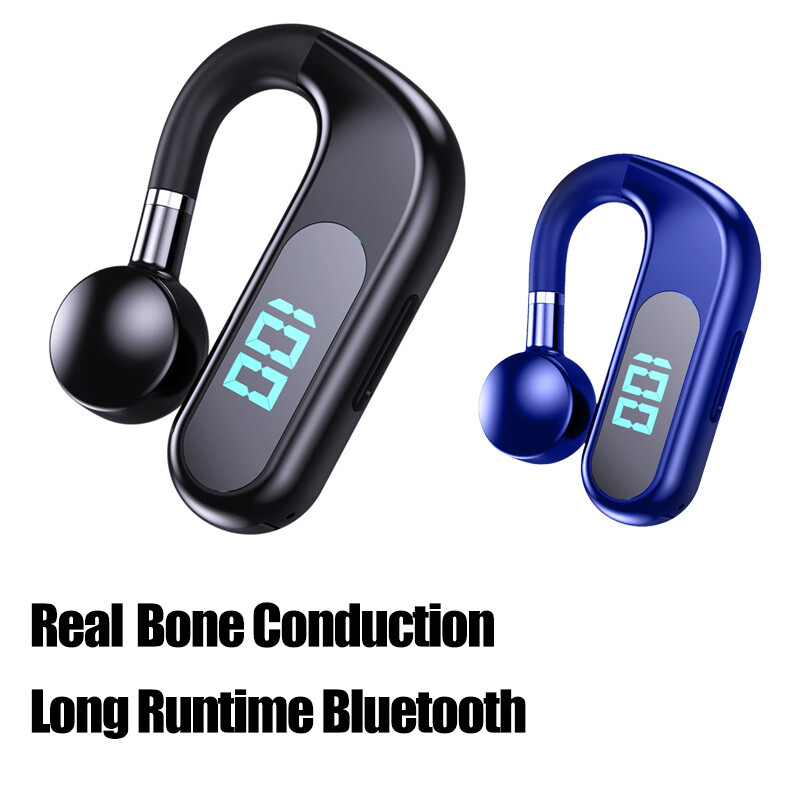
The 30Hrs Bone Conduction Wireless Headset is the pick when your calls happen away from a desk. The 30-hour battery lasts through long workdays, Bluetooth 5.3 offers a stable connection, and the 180-degree rotation lets you wear it comfortably on either side. The audio keeps your ears open, while the black finish and USB-C charging add convenience. Its compatibility with other phones makes it a simple choice for smartphone-based work. It is the less expensive model by a wide margin, but it is not designed for a specific Avaya desk-phone family. If mobility matters more, this one fits.
Final Choice by Use Case
For Avaya desk-phone environments, the Avaya Headset HD Voice is the clear pick. For anyone who takes calls on a smartphone or moves between spaces, the 30Hrs Bone Conduction Wireless Headset delivers wireless convenience at a much lower price. Let your daily phone setup, not just the price tag, make the call.
