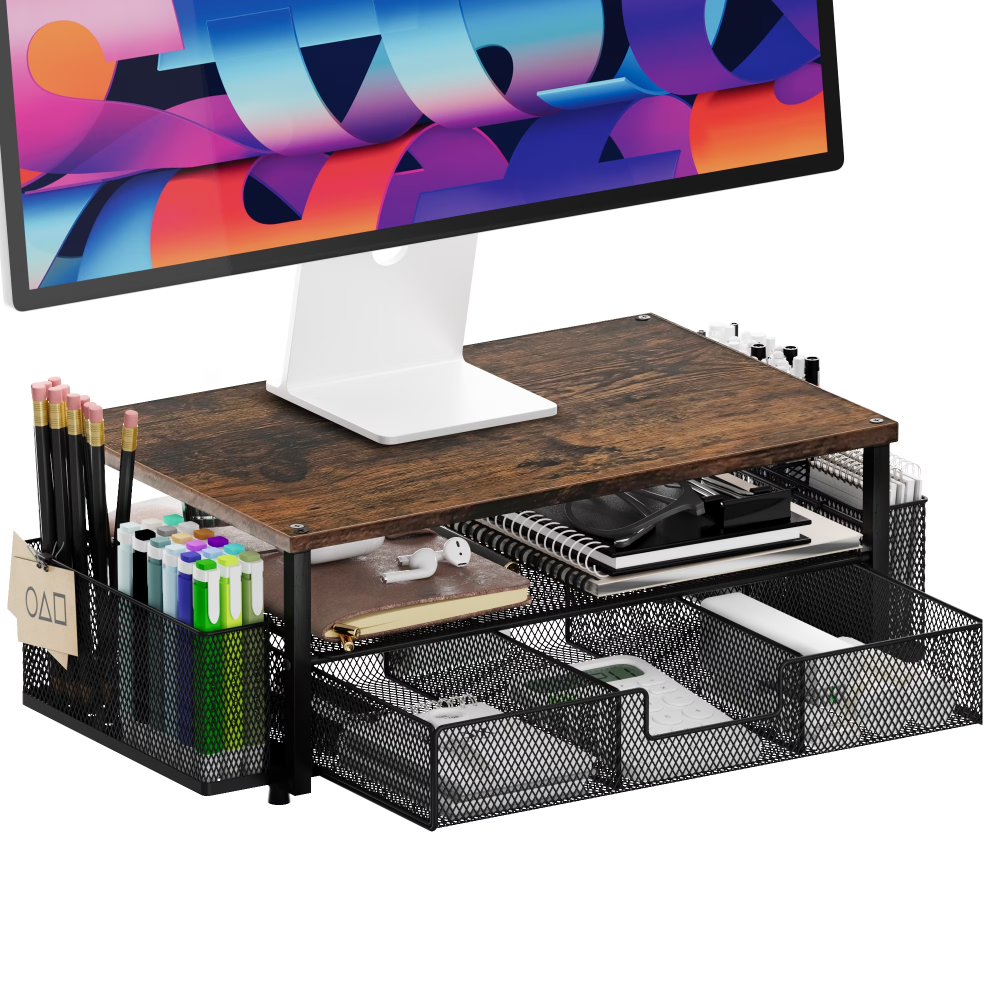

Photos from current listings. Actual item, color, and included accessories may vary.
Monitor Stand With Drawers Buying Guide
A monitor stand with drawers solves two desk problems at once: it raises the screen to a comfortable eye level and corrals small office clutter. The right pick hinges on your monitor's weight and VESA pattern, the stand's vertical lift, and whether the drawer volume and construction match your daily storage load. Shoppers often overlook load ratings and desk-depth clearance, ending up with a wobbly riser or drawers that won't open.
Key takeaways
- Load capacity ranges from 10-15 lb for particleboard risers to 40-50 lb for steel-frame models; choose at least 1.5x your monitor's weight.
- Drawer material matters: solid wood or metal glides outlast particleboard with stapled joints, especially under daily open-close cycles.
- VESA mounting (75x75 or 100x100 mm) vs. shelf-top placement changes stability and height adjustability dramatically.
At a glance
- Category
- Office Organization
- Last updated
- Nov 28, 2026
Current offers
Highlights
- Load capacity ranges from 10-15 lb for particleboard risers to 40-50 lb for steel-frame models; choose at least 1.5x your monitor's weight.
- Drawer material matters: solid wood or metal glides outlast particleboard with stapled joints, especially under daily open-close cycles.
- VESA mounting (75x75 or 100x100 mm) vs. shelf-top placement changes stability and height adjustability dramatically.
- Height lift typically spans 3-6 inches; ergonomic eye-level alignment needs the stand to bring the screen top near or slightly below eye height.
Best use cases
- Best fit: A 24-27 inch monitor under 15 lb with light paperwork storage—pick a compact particleboard riser with two shallow drawers and no VESA mount.
- Best fit: A 32-inch or heavier monitor with frequent drawer use—choose a steel-frame stand rated 40+ lb with ball-bearing glides and a 100x100 mm VESA plate.
- Wrong fit: A standing-desk user who needs frequent height changes—skip drawer stands entirely and use a monitor arm; drawer risers are static.
- Wrong fit: A deep keyboard tray or large laptop under the stand—verify interior clearance; most drawer stands offer only 3-4 inches of under-stand height.
Buying tips
- Check the load rating against your monitor's weight plus any speakers or accessories; a 1.5x safety margin prevents sag and wobble.
- Prioritize metal drawer slides or solid wood runners over stapled particleboard tracks if you open drawers daily.
- Confirm the stand's footprint fits your desk depth with room for keyboard and mouse; most drawer stands are 9-12 inches deep.
- Choose a VESA-compatible model if you need tilt or swivel; shelf-top stands lock you into a fixed angle.
Specs
| Load Capacity | 10-50 lb (check monitor weight) |
|---|---|
| Mount Type | Shelf-top vs VESA 75/100 mm |
| Drawer Material | Particleboard vs solid wood/metal |
| Height Lift | 3-6 in above desk |
What to check before buying
- Measure your monitor's weight and VESA pattern (75x75 or 100x100 mm) before selecting a stand.
- Verify desk surface depth and width against the stand's footprint plus keyboard clearance.
- Check under-stand clearance height if you plan to store a keyboard, laptop, or tablet beneath it.
- Confirm drawer interior dimensions match your storage items (pens, cables, notepads) and that glides are rated for daily use.
FAQ
Data sources: eBay / Amazon listings and product attribute feeds. Updated Nov 28, 2026.
Some links on this page are affiliate links. If you buy after clicking one, we may earn a commission at no extra cost to you. This does not change which products appear here or their order. Affiliate disclosure.