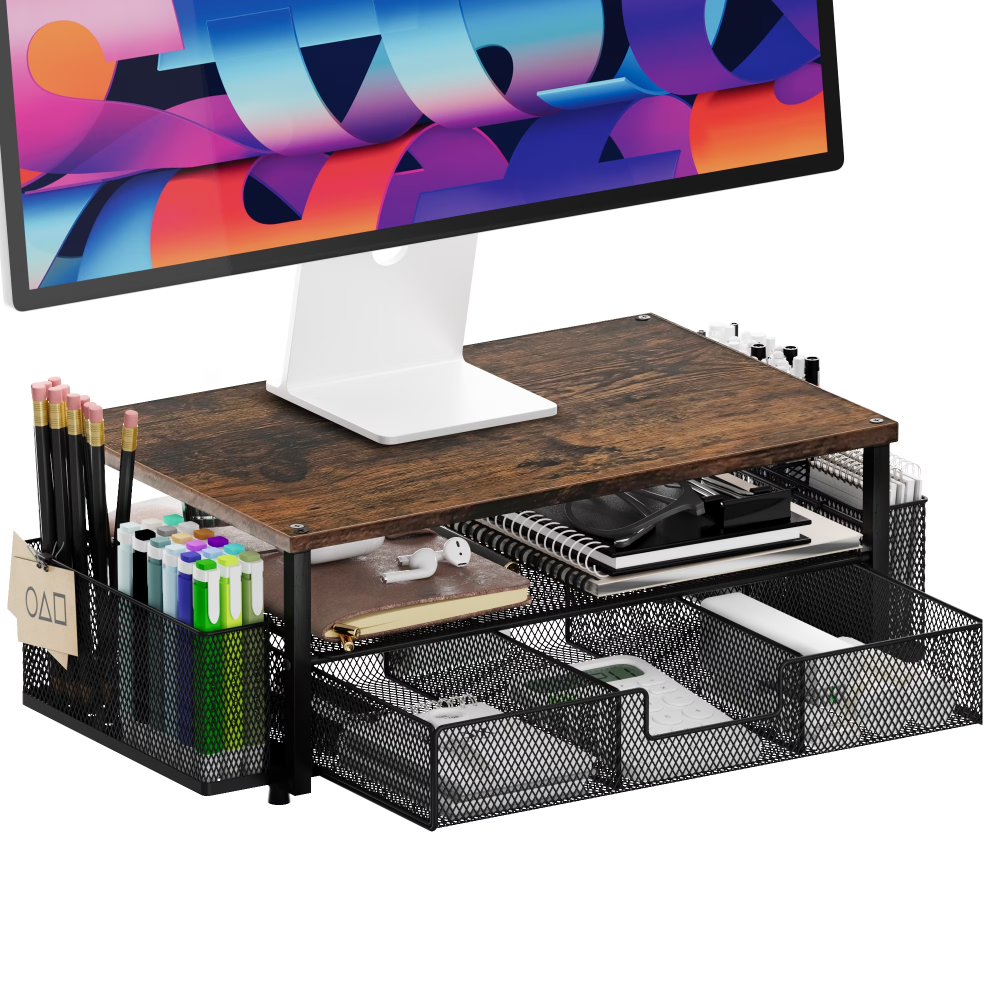

Photos from current listings. Actual item, color, and included accessories may vary.
Monitor Riser Buying Guide
A monitor riser solves the two most common desk ergonomic failures: screen too low for neutral neck posture and zero usable storage beneath the display. Buyers get into trouble by choosing a riser that is too short for their seated eye height or too wide for their desk footprint, then discovering the platform crowds their keyboard tray or blocks their webcam. The right pick comes down to height adjustment range, load capacity, and whether you need integrated USB or cable routing.
Key takeaways
- Height range matters more than fixed height: most ergonomic guidance puts the top of the screen at or slightly below eye level when seated, so a riser that adds 3-6 inches suits average desk heights, while fixed 2-inch platforms rarely fix posture.
- Load capacity varies by construction: particleboard and MDF risers typically handle 20-40 lbs, steel and aluminum platforms often support 50-100 lbs, and acrylic models are lighter-duty and prone to scratching under heavy monitors.
- Integrated USB hubs and cable management slots are tier differentiators: budget risers are passive platforms, mid-tier models add rear cable cutouts, and premium units include powered USB-A/USB-C pass-through and drawer storage.
At a glance
- Category
- Office Organization
- Last updated
- Nov 28, 2026
Current offers
Highlights
- Height range matters more than fixed height: most ergonomic guidance puts the top of the screen at or slightly below eye level when seated, so a riser that adds 3-6 inches suits average desk heights, while fixed 2-inch platforms rarely fix posture.
- Load capacity varies by construction: particleboard and MDF risers typically handle 20-40 lbs, steel and aluminum platforms often support 50-100 lbs, and acrylic models are lighter-duty and prone to scratching under heavy monitors.
- Integrated USB hubs and cable management slots are tier differentiators: budget risers are passive platforms, mid-tier models add rear cable cutouts, and premium units include powered USB-A/USB-C pass-through and drawer storage.
- Ventilation design affects laptop use: slatted or perforated tops dissipate heat better than solid surfaces, and open-front designs allow keyboards or laptops to slide underneath for usable storage depth.
Best use cases
- Best fit: a fixed-height desk with a 24-27 inch monitor and no adjustable stand—choose a riser with at least 4 inches of lift and a top surface wide enough to span the monitor's base footprint.
- Best fit: a laptop-plus-external-monitor setup—pick a riser with a slatted top and at least 3 inches of clearance underneath so the laptop can slide in for airflow and keyboard stowage.
- Wrong fit to skip: a heavy 32-inch or ultrawide monitor on a thin acrylic riser—acrylic flexes and scratches; step up to a steel or thick MDF platform rated well above the monitor's weight.
- Wrong fit to skip: a standing-desk converter who needs continuous height adjustment—a fixed riser locks one height; choose a monitor arm or a gas-spring riser instead.
Buying tips
- Measure the monitor's base width and depth first: the riser top should be at least as wide as the stand footprint and deep enough that the front edge doesn't overhang.
- Check the weight rating against the monitor plus any speakers or accessories you plan to place on top; leave at least 25% headroom above the combined load.
- Choose slatted or perforated tops when the riser will double as a laptop stand, since solid MDF traps heat and can throttle the CPU.
- Prefer risers with rear cable cutouts or side channels if you use multiple peripherals; a solid back panel forces cables to loop awkwardly and can push the riser away from the wall.
Specs
| Height Adjustment | Fixed 2-6 in vs adjustable legs |
|---|---|
| Load Capacity | 20-100 lbs by material tier |
| Top Material | MDF / steel / aluminum / acrylic |
| Storage & Ports | Cable slot / drawer / USB hub |
What to check before buying
- Measure seated eye height from the floor and subtract your current monitor's screen-top height to determine how much lift you actually need.
- Confirm the desk surface width and depth can accommodate the riser footprint without blocking keyboard or mouse space.
- Verify the riser's load rating exceeds your monitor weight plus any accessories by a safe margin.
- Check that the riser top has ventilation or a cable slot if you plan to place a laptop or route charging cables underneath.
FAQ
Data sources: eBay / Amazon listings and product attribute feeds. Updated Nov 28, 2026.
Some links on this page are affiliate links. If you buy after clicking one, we may earn a commission at no extra cost to you. This does not change which products appear here or their order. Affiliate disclosure.