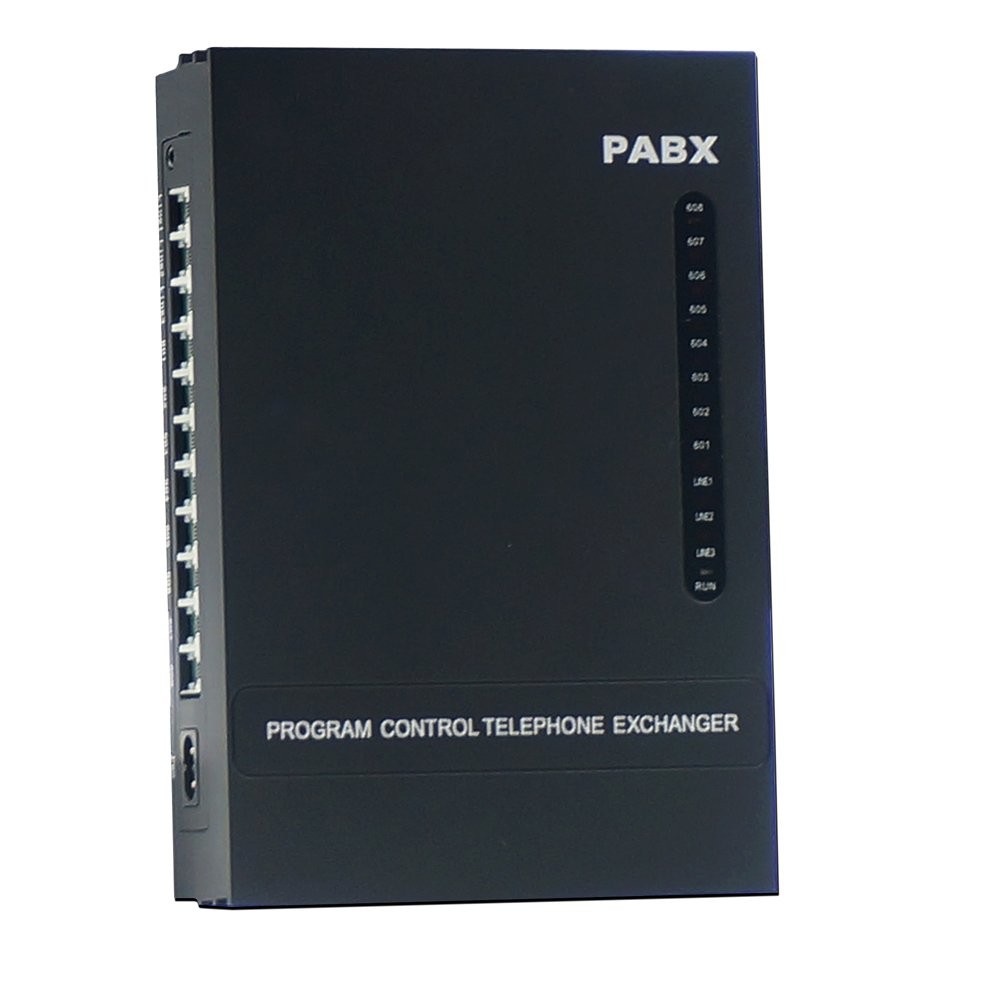

Photos from current listings. Actual item, color, and included accessories may vary.
Excelltel SOHO-PBX SP-208 Buying Guide
The Excelltel SOHO-PBX SP-208 is a small-office PBX switch that supports 2 CO lines and 8 internal extensions, allowing basic call routing without a full IP-PBX. The key trade-off is analog simplicity versus modern features: it works with standard landlines and corded phones but lacks VoIP, auto-attendant, and digital display. Choose it only if you need bare-bones line sharing for up to 8 desks; otherwise step up to a hybrid or IP PBX.
Key takeaways
- 2 CO (central office) line inputs and 8 extension ports (2x8 configuration) for small offices with up to 8 analog phones.
- Analog PABX architecture supports standard PSTN lines and corded/cordless analog phones—no IP networking or SIP trunks.
- Plastic housing with basic call routing: internal calls, CO line access, and simple transfer via flash/hook commands.
At a glance
- Category
- Business Phones & Headsets
- Status
- Listings available
- Last updated
- Nov 29, 2026
Current offers
Highlights
- 2 CO (central office) line inputs and 8 extension ports (2x8 configuration) for small offices with up to 8 analog phones.
- Analog PABX architecture supports standard PSTN lines and corded/cordless analog phones—no IP networking or SIP trunks.
- Plastic housing with basic call routing: internal calls, CO line access, and simple transfer via flash/hook commands.
- No built-in auto-attendant, voicemail, or caller ID display; these require separate add-on modules or a different PBX tier.
Best use cases
- Best fit: 4–8 person office or home office with two landlines and basic analog phones that only need shared line access and internal dialing.
- Wrong fit: Any business needing VoIP/SIP trunks, remote extensions, or smartphone integration—choose an IP-PBX like Grandstream UCM or Yeastar S-series instead.
- Skip if you need auto-attendant, call recording, or voicemail—the SP-208 has no built-in voicemail; budget for a separate voicemail system or move to a digital PBX.
Buying tips
- Count your CO lines and extensions first: the SP-208 handles exactly 2 lines and 8 extensions. If you need 4 CO lines or more than 8 desks, choose a larger model like the SP-416 or a modular PBX.
- Verify your phones are analog (RJ-11) and your lines are standard PSTN—not digital or VoIP. The SP-208 will not work with IP phones or SIP services.
- Check the power supply: the unit requires a local 220–240V adapter in many regions; confirm it ships with the correct plug type or budget for a replacement.
- Ensure you have a punch-down or RJ-11 wiring plan for 8 extensions; this is a wired system, not wireless, so cable runs to each desk are required.
Specs
| Port Configuration | 2 CO lines x 8 extensions |
|---|---|
| PBX Type | Analog (PSTN) only, no VoIP |
| Phone Compatibility | Analog RJ-11 corded/cordless |
| Housing Material | Plastic desktop enclosure |
Alternatives to compare
Related searches
What to check before buying
- Measure your office layout: you need RJ-11 cabling from the SP-208 to each of the 8 extension locations; plan cable runs before purchase.
- Confirm your phone line type: the SP-208 supports standard analog PSTN lines only—not ISDN, not SIP, not digital PBX lines.
- Check voltage: the included adapter may be 220V; if you are in a 110V region, source a compatible 110V adapter with the correct DC output.
- Verify you have a free wall outlet and space for the plastic housing (approx. 10 x 8 x 3 inches) near your phone line entry point.
FAQ
Data sources: eBay / Amazon listings and product attribute feeds. Updated Nov 29, 2026.
Some links on this page are affiliate links. If you buy after clicking one, we may earn a commission at no extra cost to you. This does not change which products appear here or their order. Affiliate disclosure.